
Use the EtherAssist API
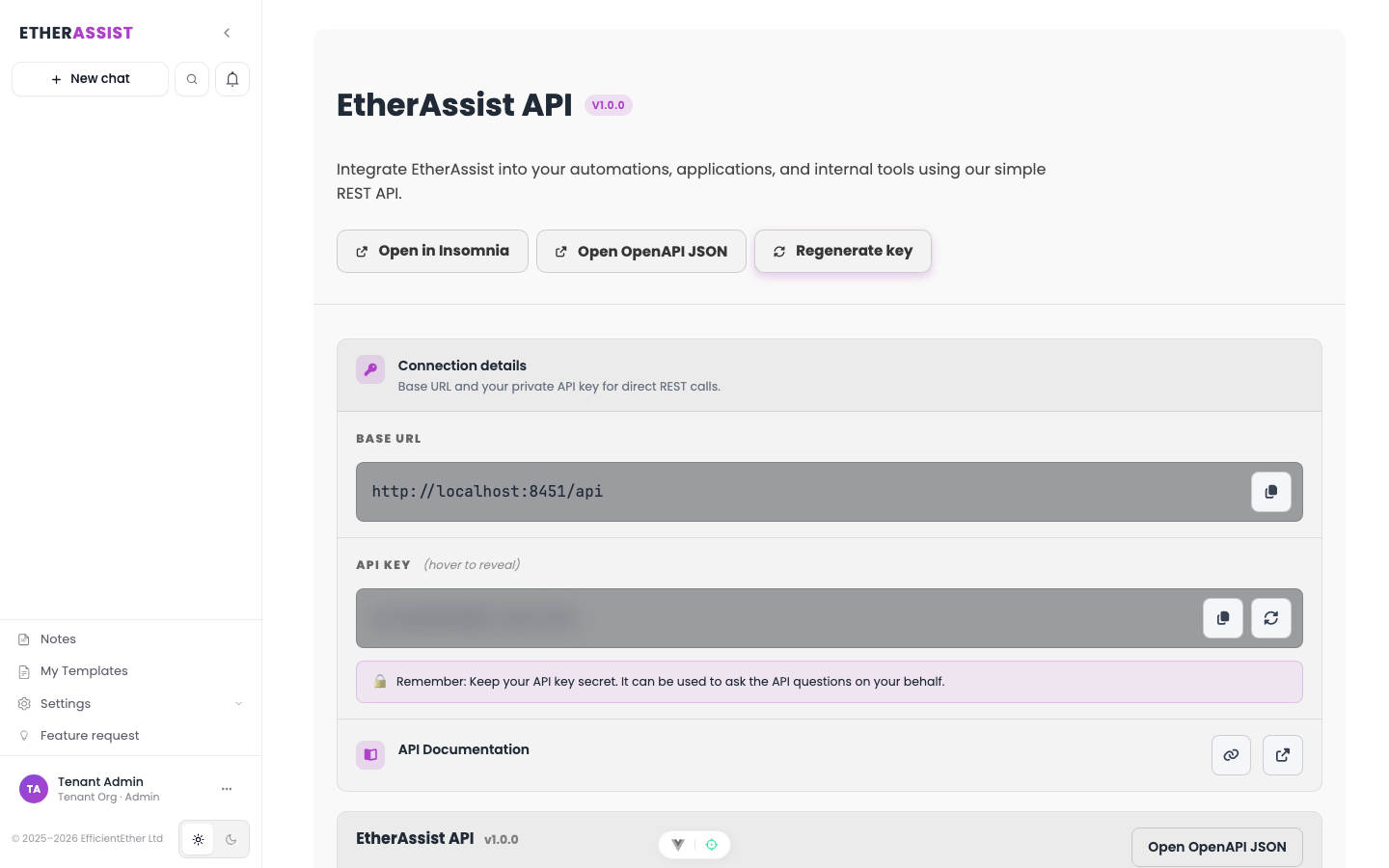
Use the EtherAssist API to integrate assistant responses into scripts, tools, and workflows.
Before you begin
- Sign in with an account that has access to this area.
- Confirm the organisation, tenant, or source material you need to work with.
- Keep customer data, secrets, and screenshots within your organisation's handling policy.
Prerequisites
- An active EtherAssist subscription that permits API access.
- Permission to create or use an API key.
- A REST client such as curl, PowerShell, Postman, Insomnia, or your application runtime.
Base URL
https://api.etherassist.ai/api
Authentication
Send your API key as a bearer token.
Authorization: Bearer
Content-Type: application/json
Store API keys securely. Do not include real keys in screenshots, logs, prompts, source control, or support tickets.
Ask a question
Use POST /question for topic-aware assistant answers.
curl -X POST "https://api.etherassist.ai/api/question" \
  -H "Content-Type: application/json" \
  -H "Authorization: Bearer " \
  -d '{"question":"Provide silent install guidance for ShareX on Windows."}'
Example response shape:
{
  "success": true,
  "status": 200,
  "answer": "..."
}
PowerShell example
$uri = "https://api.etherassist.ai/api/question"
$headers = @{
    Authorization = "Bearer "
}

$body = @{
    question = "Explain Windows Autopilot error 0x801C03ED and provide checks."
} | ConvertTo-Json

Invoke-RestMethod -Uri $uri -Method Post -Headers $headers -Body $body -ContentType "application/json"
Common endpoints
| Endpoint | Purpose |
|---|---|
POST /question | Ask a topic-aware question. |
POST /completions | Generate a completion without topic-specific routing. |
POST /web-search | Ask a question that requires current public web context, when allowed. |
POST /reflective | Use the reflective path where your plan permits it. |
POST /utils/title | Generate a title from supplied text. |
POST /utils/Summarize | Summarize supplied text. |
Generated reference
EtherAssist exposes generated API reference files for API clients:
- OpenAPI:
https://api.etherassist.ai/api/doc/openapi - Insomnia import:
https://api.etherassist.ai/api/doc/insomnia


Use the generated reference for endpoint details when building production integrations. This page is a quickstart and does not replace the generated schema.
Error handling
Production integrations should handle:
- authentication failures;
- entitlement or policy restrictions;
- rate and quota limits;
- validation errors for missing or malformed request bodies;
- transient service failures with retry and backoff.
Tips
- Keep names, prompts, and configuration values specific to the task you are performing.
- Check role, subscription, region, and tenant policy when a feature is not visible.
Next steps
Troubleshooting
| Issue | What to check |
|---|---|
| Integration is not visible | Confirm the integration is enabled for your tenant, plan, and role. |
| Connection or save fails | Check admin permissions, credentials, OAuth consent, callback URLs, and tenant policy. |
| Test content does not appear | Reconnect the integration and test with a small non-sensitive sample item. |