
Integrations overview
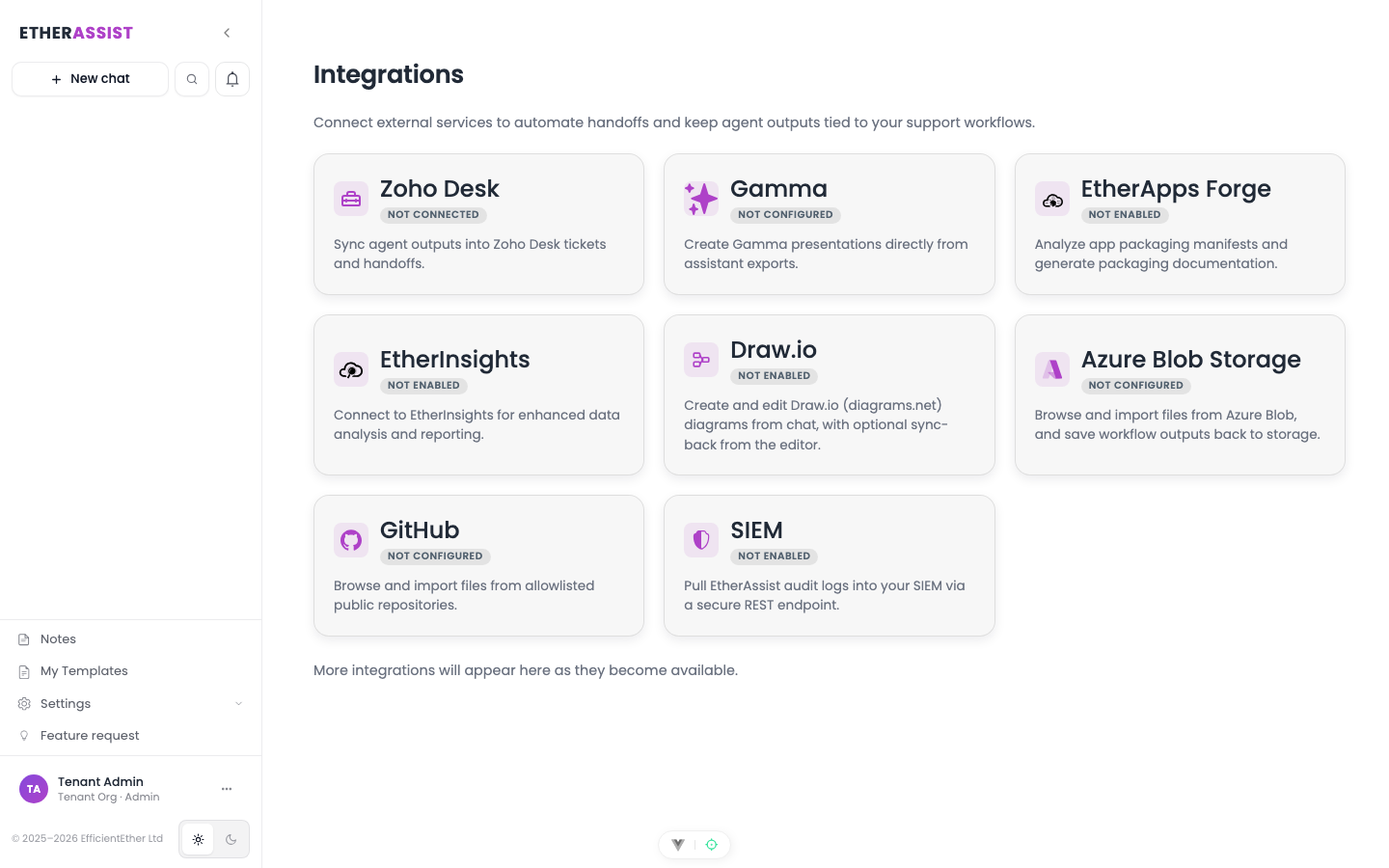
Integrations connect EtherAssist to external systems for document context, support workflows, diagrams, automation, and programmatic access.
Before you begin
- Integration availability depends on your plan, tenant policy, and administrator configuration.
- Admin permissions are usually required to configure tenant-level integrations.
- External systems may require tenant-owned credentials, OAuth consent, or allowlisting.
- Do not paste secrets into documentation, prompts, or screenshots.
Step 1: Choose an integration path
- Identify the source or destination system.
- Confirm the integration is enabled for your tenant.
- Confirm whether setup requires admin permissions.
- Configure the connection in the relevant integration page.
- Test with non-sensitive sample content.
- Document the workflow for users who will run it.
Expected result: the integration is available in the surface where users need it, such as chat attachments, Agent tasks, workflow actions, API clients, or PowerShell scripts.
Available integration areas
| Integration | Use it for | Documentation |
|---|---|---|
| REST API | Send questions, generate content, and integrate EtherAssist into custom tools. | API |
| PowerShell module | Use EtherAssist from scripts and command-line workflows. | PowerShell module |
| Microsoft Teams | Use EtherAssist from Teams and share conversation context. | Teams integration |
| Browser extension | Use EtherAssist from Chrome, Edge, and Firefox. | Browser extension |
| GitHub | Import files from approved repositories for chat and Agent Mode context. | GitHub |
| Azure Blob Storage | Browse, import, and use tenant-scoped blob content. | Azure Blob Storage |
| Zoho Desk | Review tickets, draft or post private notes, and update knowledge base content. | Zoho Desk |
| Draw.io | Create and revise diagrams from chat output. | Draw.io |
| EtherInsights | Use tenant-scoped analytics context and Agent Mode workflow actions. | EtherInsights |
| Gamma | Generate presentation or document outputs from workflow content when configured. | Gamma |
| EtherApps Forge | Use app-packaging review, documentation, or troubleshooting context where enabled. | EtherApps Forge |
| SIEM | Connect supported security event workflows where enabled. | SIEM |
Where integrations appear
| Surface | How integrations are used |
|---|---|
| Chat | Attach imported files, generate diagrams, or use configured capabilities when enabled. |
| Agent tasks | Select configured integrations for background reviews, ticket work, and document context. |
| Workflows | Add integration or export actions as workflow steps. |
| Schedules | Run supported agent, workflow, and support operations on a recurring schedule. |
| API and PowerShell | Call EtherAssist from external automation. |
Common integration tasks
| Task | Steps |
|---|---|
| Use repository content in an answer | Configure GitHub, select approved files, attach them to chat or Agent Mode, then ask for a scoped review. |
| Use blob content as context | Configure Azure Blob Storage, browse tenant-approved content, import or attach the file, then ask for the required output. |
| Draft a support note | Configure Zoho Desk, open the ticket context, run an Agent task, then review before posting. |
| Generate an editable diagram | Ask for a diagram in chat, review the rendered output, then use the diagram integration where available. |
| Call EtherAssist from automation | Use the REST API or PowerShell module with tenant-approved credentials and scoped prompts. |
Public documentation rules
When documenting or sharing integration setup, keep screenshots and examples free of:
- API keys, tokens, secrets, and client secrets;
- tenant IDs and internal endpoint details;
- customer names, ticket IDs, email addresses, or repository names unless explicitly approved;
- development or environment-specific URLs.
Tips
- Keep names, prompts, and configuration values specific to the task you are performing.
- Check role, subscription, region, and tenant policy when a feature is not visible.
Next steps
Troubleshooting
| Issue | What to check |
|---|---|
| Integration is not visible | Confirm the integration is enabled for your tenant, plan, and role. |
| Connection or save fails | Check admin permissions, credentials, OAuth consent, callback URLs, and tenant policy. |
| Test content does not appear | Reconnect the integration and test with a small non-sensitive sample item. |