
Hardware readiness diagrams
Use diagrams to explain Windows 11 readiness decisions, remediation paths, and stakeholder responsibilities.
Before you begin
- Sign in with an account that has access to this area.
- Confirm the organisation, tenant, or source material you need to work with.
- Keep customer data, secrets, and screenshots within your organisation's handling policy.
Prerequisites
- Diagram generation enabled in EtherAssist.
- A readiness workflow, blocker list, or migration process to visualise.
- The intended audience, such as service desk, endpoint engineering, leadership, or change advisory board.
Create a readiness diagram
- Confirm the diagram option is enabled above the chat composer.

- Describe the workflow you want to visualise.
- Ask for a vertical activity diagram or sequence diagram for process-heavy content.
- Review the labels and flow before exporting or sharing.
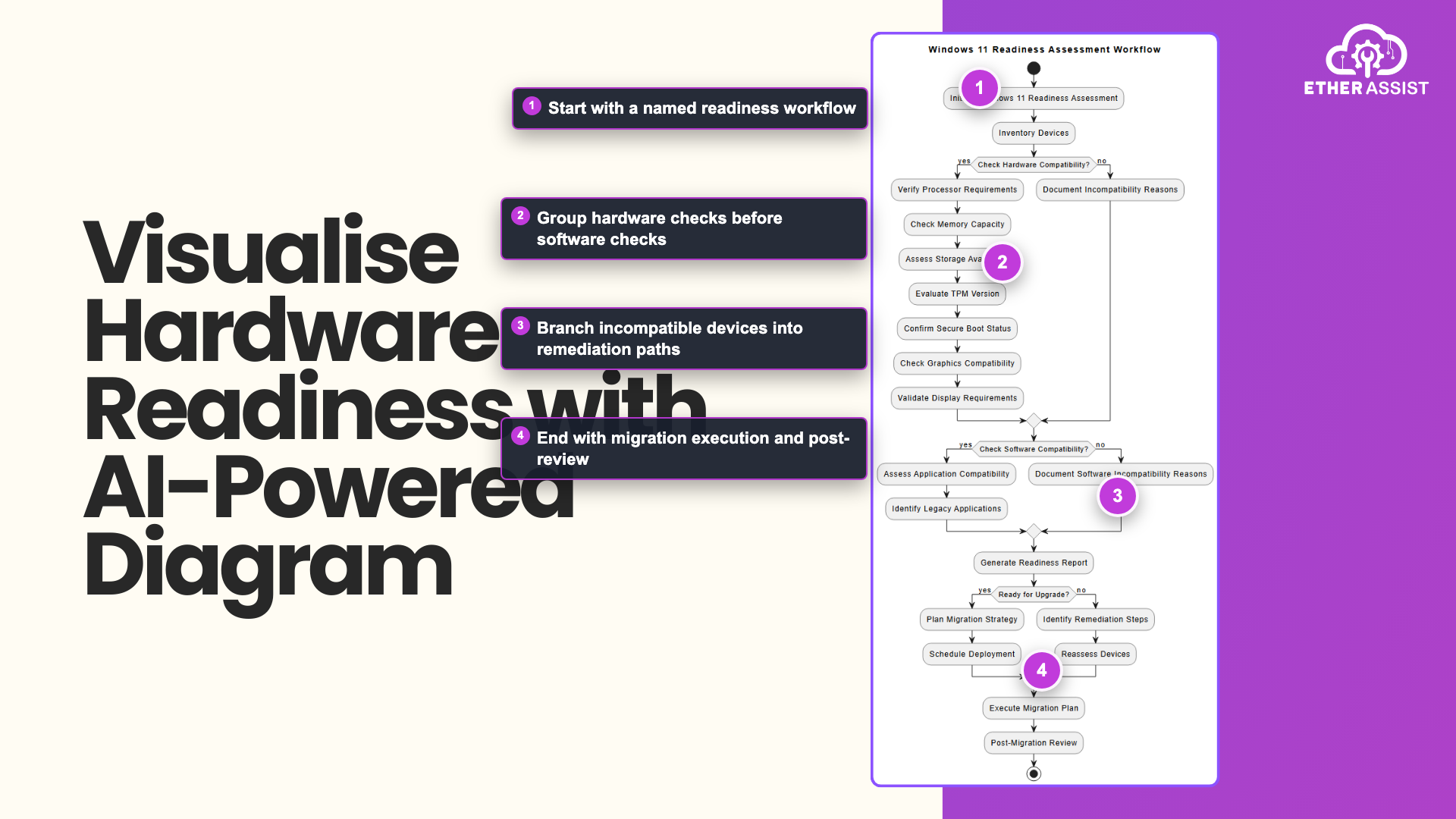
The callouts highlight the readiness scope, grouped compatibility checks, remediation branch, and post-migration review.
Useful diagram types
| Diagram | Use for |
|---|---|
| Activity diagram | Device assessment and remediation workflow. |
| Decision tree | Replace, remediate, defer, or approve. |
| Sequence diagram | Intune, endpoint, service desk, and user interactions. |
| Architecture view | Reporting and data source flow. |
Prompt example
Create a vertical activity diagram for Windows 11 readiness triage. Include inventory import, compatibility checks, blocker classification, remediation group assignment, user communication, upgrade scheduling, and completion reporting.
Expected result
You have a readable diagram that explains the readiness process without overcrowding labels or crossing flows.
Tips
- Keep names, prompts, and configuration values specific to the task you are performing.
- Check role, subscription, region, and tenant policy when a feature is not visible.
Troubleshooting
| Issue | What to do |
|---|---|
| The diagram is too busy | Ask for a vertical activity diagram with fewer labels and grouped remediation paths. |
| Stakeholders need a simpler view | Request an executive decision tree instead of a technical workflow. |
| Export is needed | Use the available diagram export options after reviewing the content. |