
Assess Windows 11 compatibility
Use EtherAssist to evaluate Windows 11 compatibility signals, generate migration guidance, and turn blockers into remediation or refresh actions.
Before you begin
- Sign in with an account that has access to this area.
- Confirm the organisation, tenant, or source material you need to work with.
- Keep customer data, secrets, and screenshots within your organisation's handling policy.
Prerequisites
- Device data from Microsoft Intune, CSV, Configuration Manager, or another inventory source.
- Current Microsoft Windows 11 hardware requirements for reference.
- Permission to review device information and produce migration planning material.
Review requirements and planning options
Start by asking EtherAssist to summarise Windows 11 requirements and identify the planning tool that fits your data source.
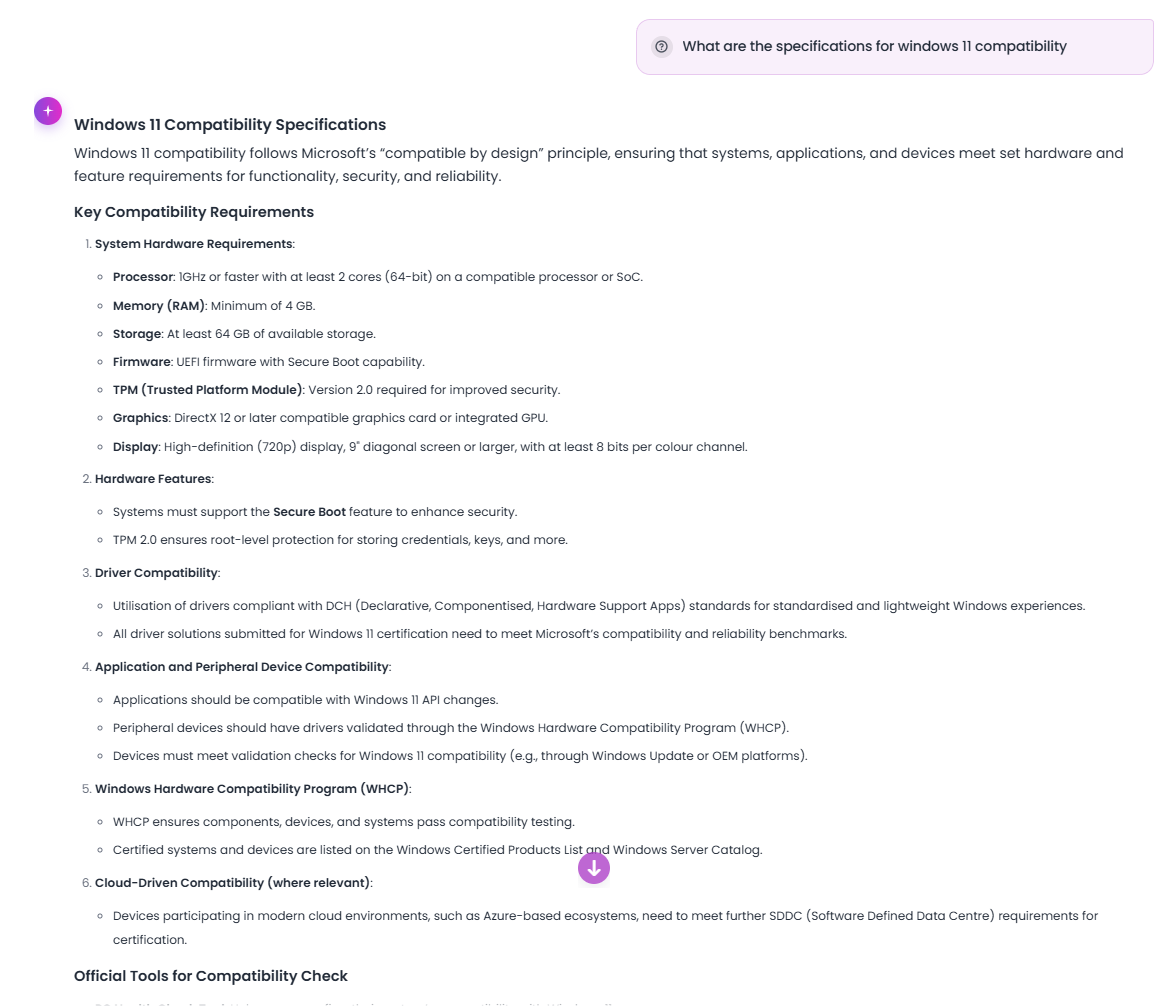
Common blockers include unsupported CPU, missing or disabled TPM 2.0, Secure Boot not enabled, insufficient memory or storage, application or driver risks, and stale devices.
Generate a migration plan
- Provide your device count or readiness summary.
- Ask for migration waves, owners, risks, communications, and validation criteria.
- Review the plan and align it with your change process.
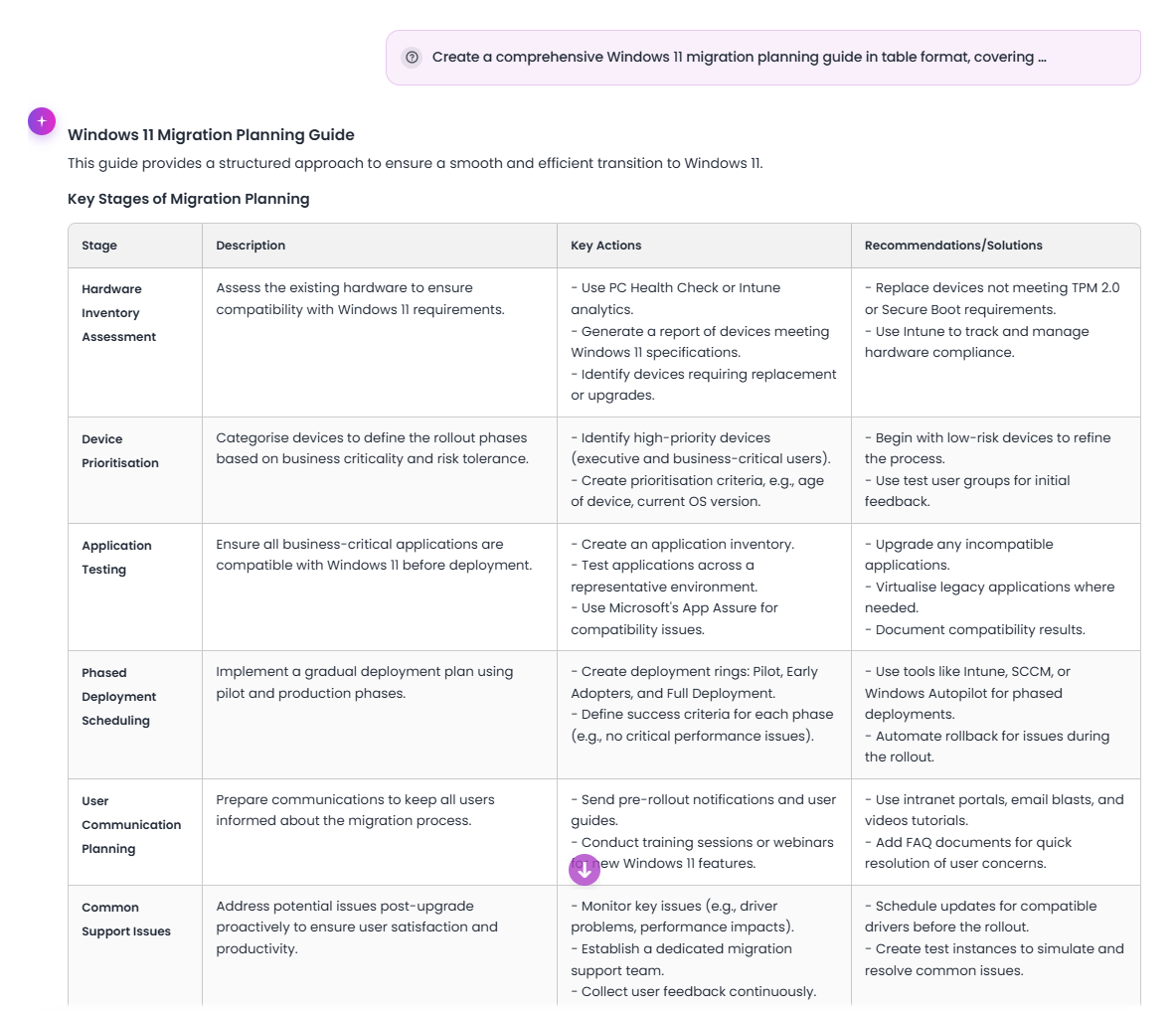
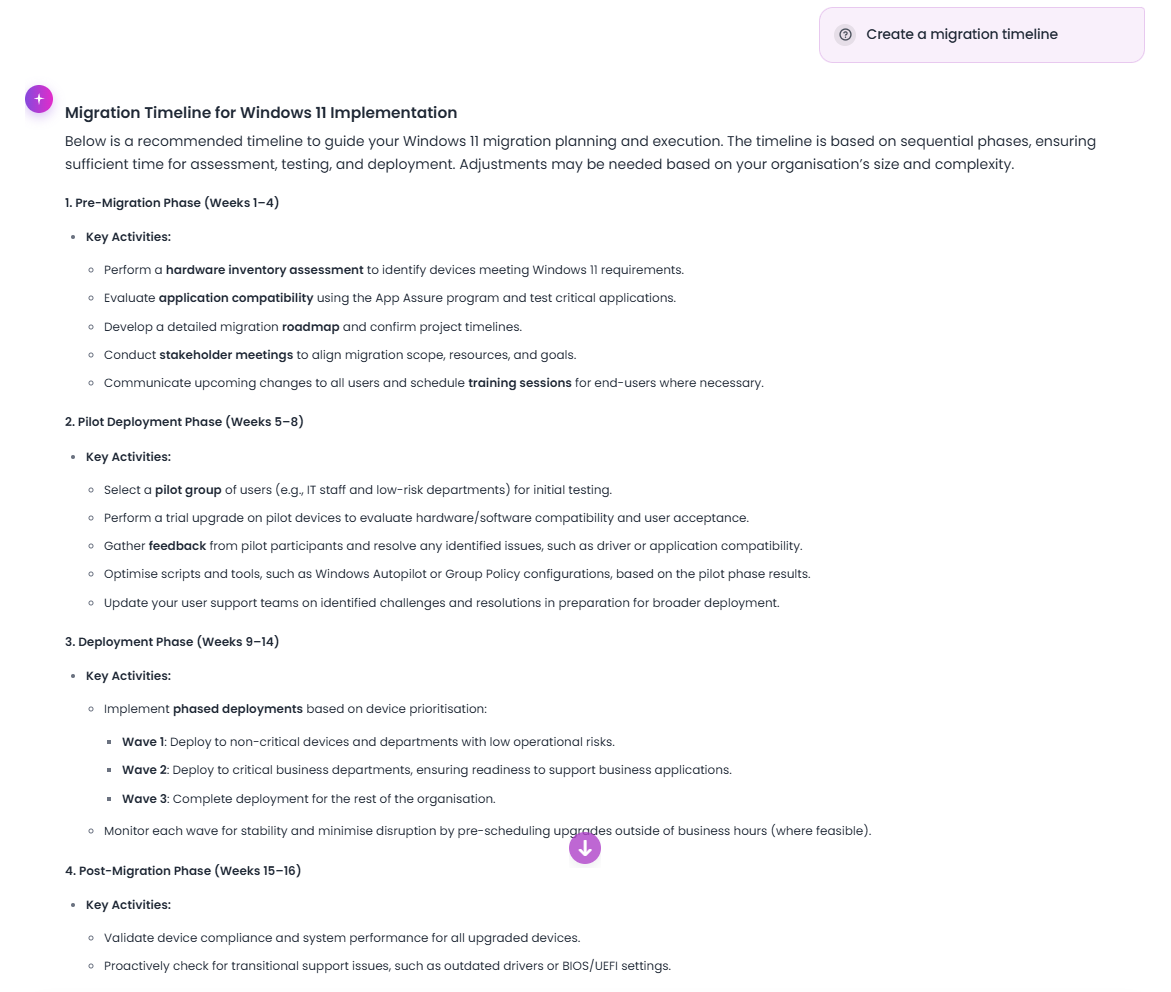
Generate a migration timeline
- Specify the number of devices, locations, and business constraints.
- Request the timeline in the preferred format, such as a table or CSV-ready structure.
- Review each phase for discovery, pilot, remediation, deployment, and support.
Use Intune Endpoint Analytics
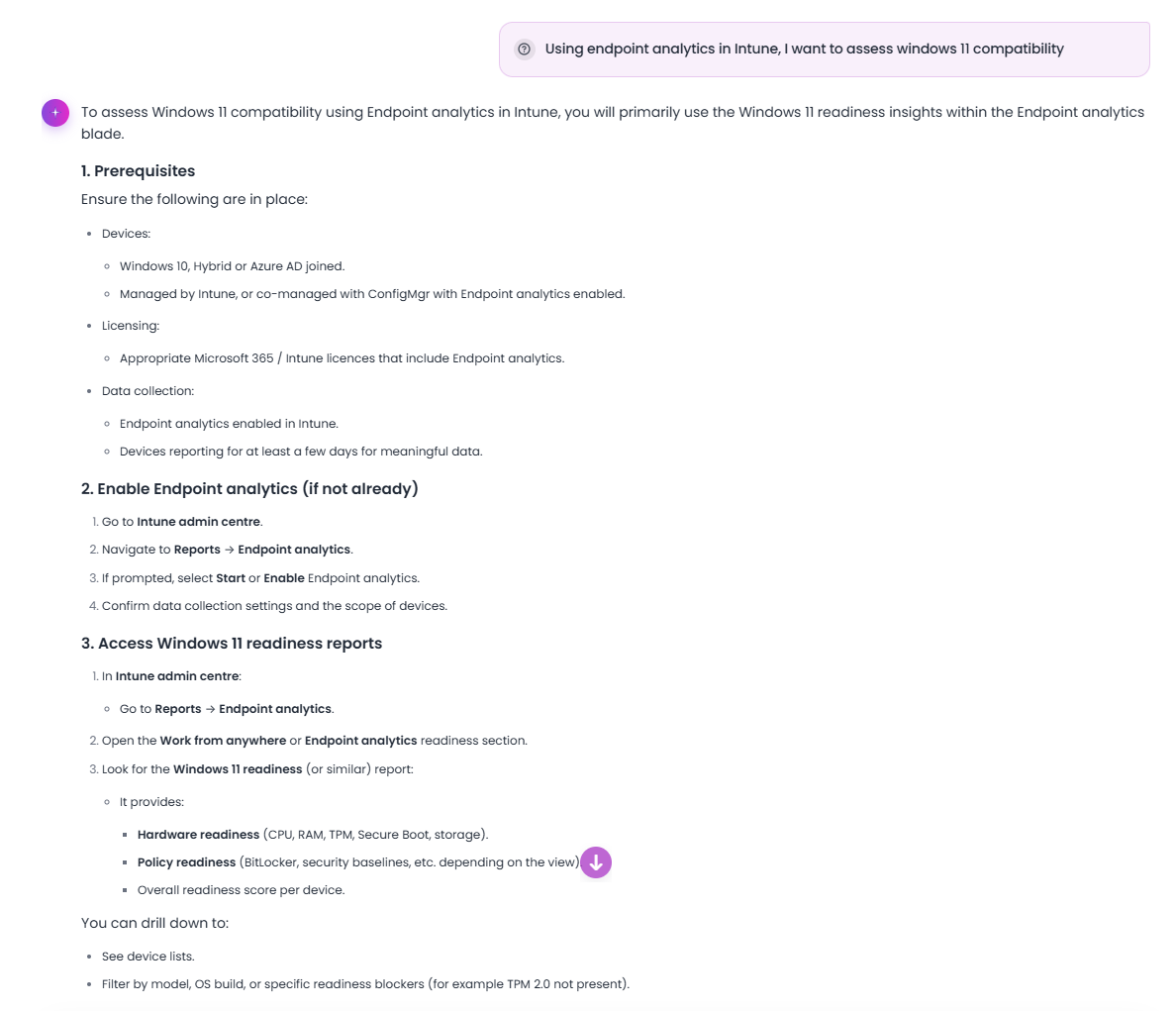
If you use Microsoft Intune, ask EtherAssist to help interpret Endpoint Analytics and feature update readiness data.
- Ask about using Endpoint Analytics for Windows 11 compatibility assessment.
- Review guidance on accessing and interpreting reports.
- Convert findings into remediation groups and deployment waves.
Generate Kusto queries
For advanced analytics, request Kusto queries for Windows 11 compatibility assessment and review them before use in your reporting environment.

Expected result
For each blocker, capture device count, affected group, remediation option, owner, target date, and evidence required.
Tips
- Keep names, prompts, and configuration values specific to the task you are performing.
- Check role, subscription, region, and tenant policy when a feature is not visible.
Troubleshooting
| Issue | What to do |
|---|---|
| Requirements are disputed | Check the current Microsoft Learn Windows 11 requirements before publishing. |
| A device is stale or not reporting | Track it separately from confirmed incompatible devices. |
| Application or driver risk is unclear | Add app inventory and driver context before generating migration waves. |