
UK Cyber Essentials assurance
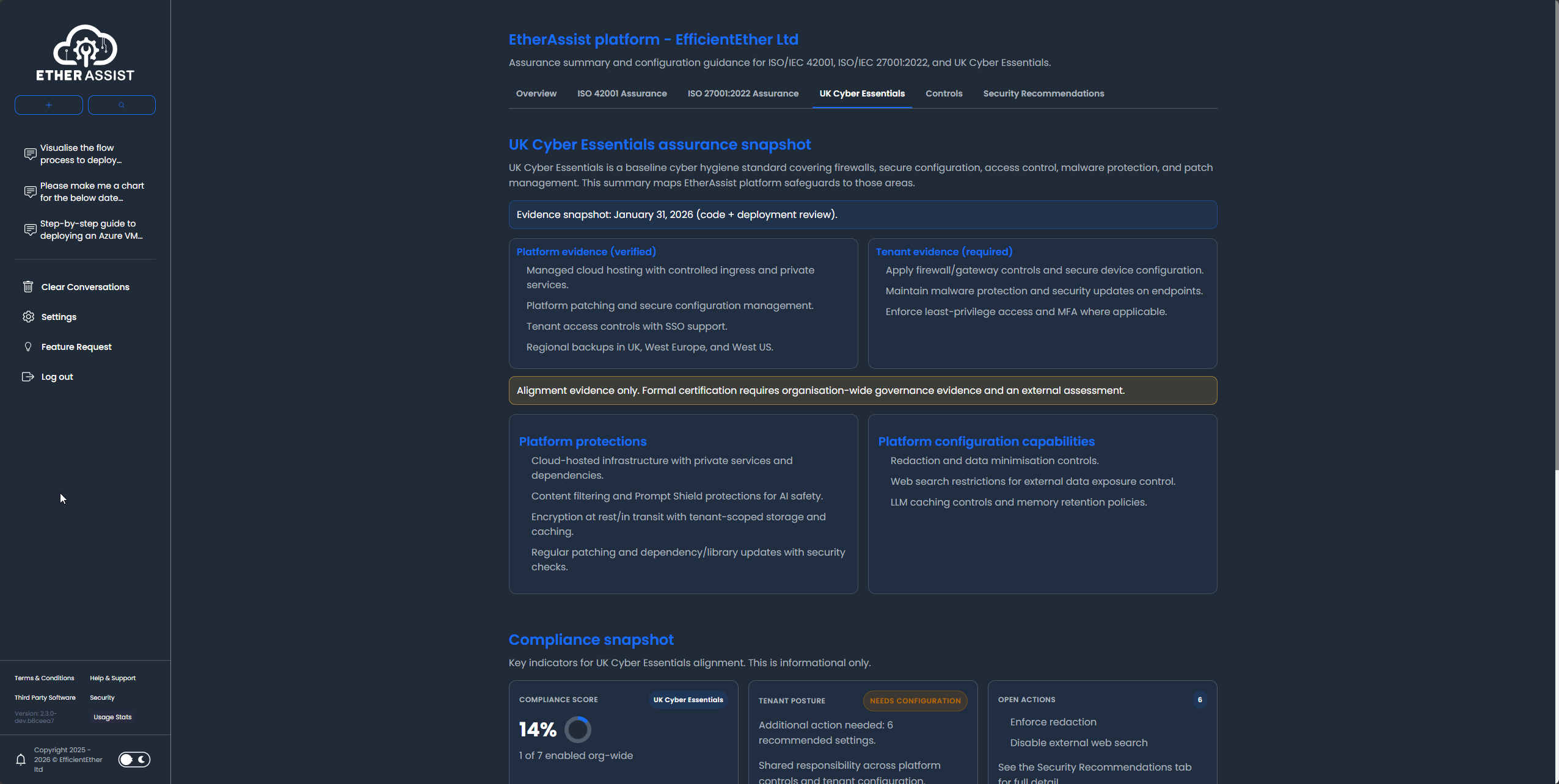
Cyber Essentials is a baseline cyber hygiene scheme covering firewalls, secure configuration, access control, malware protection, and security update management. EtherAssist helps you prepare customer-safe assurance summaries, evidence requests, and remediation actions.
Before you begin
- Sign in with an account that has access to this area.
- Confirm the organisation, tenant, or source material you need to work with.
- Keep customer data, secrets, and screenshots within your organisation's handling policy.
Prerequisites
- Access to the Security and Compliance dashboard.
- Current Cyber Essentials questionnaire, scope, or gap list.
- Owner details for endpoint, identity, network, and patching actions.
Review Cyber Essentials posture
- Open Security in EtherAssist.
- Select the Cyber Essentials assurance view.
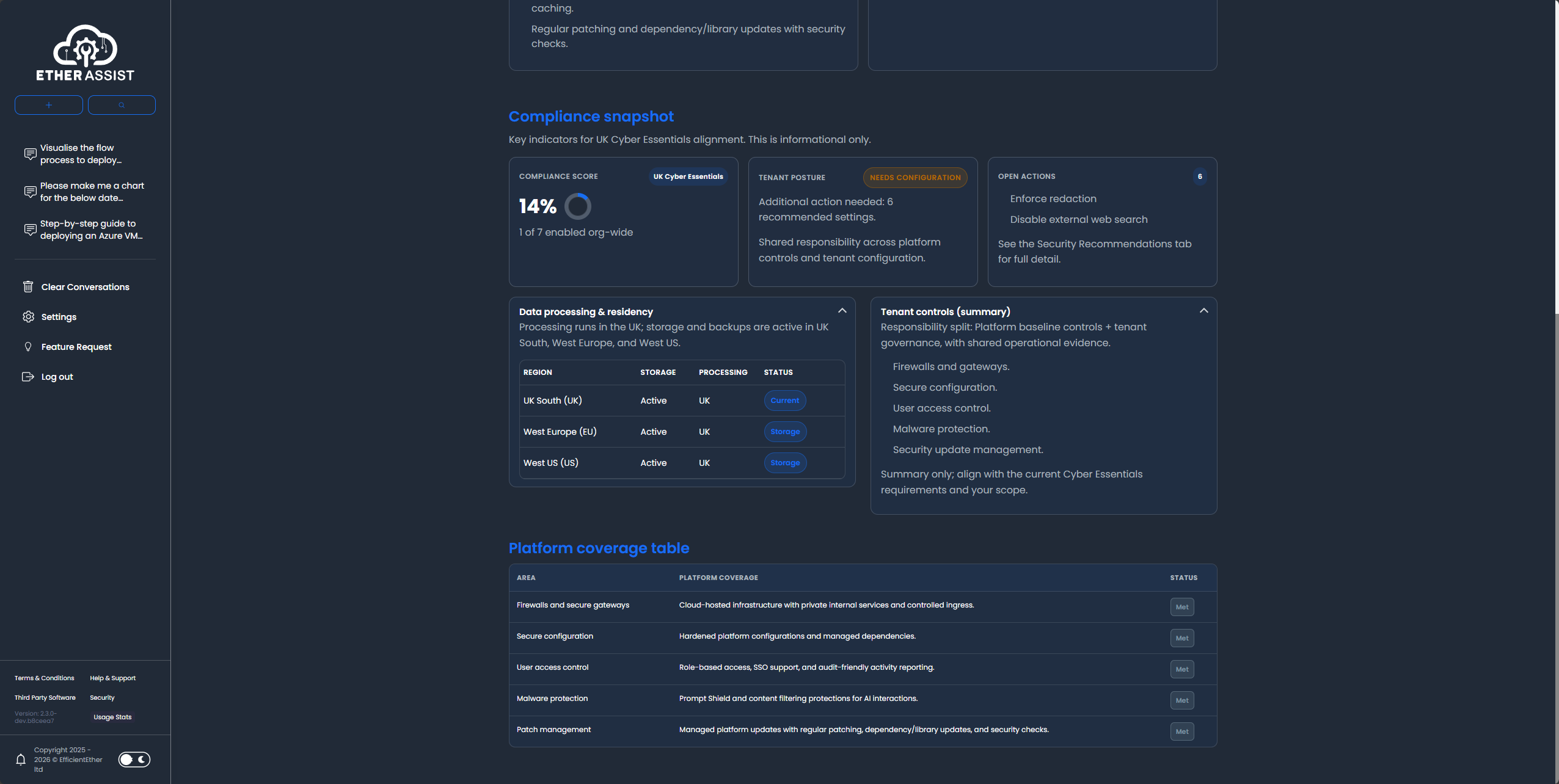
- Review the compliance score, tenant posture, open actions, data processing summary, and tenant responsibilities.
- Capture gaps as remediation actions with owners and target dates.
- Export or copy the reviewed content for internal approval.
Common tasks
- Draft password and access-control guidance.
- Summarise firewall and secure configuration actions.
- Prepare malware protection checks.
- Create patch management reminders.
- Convert assessment gaps into action plans.
Platform coverage
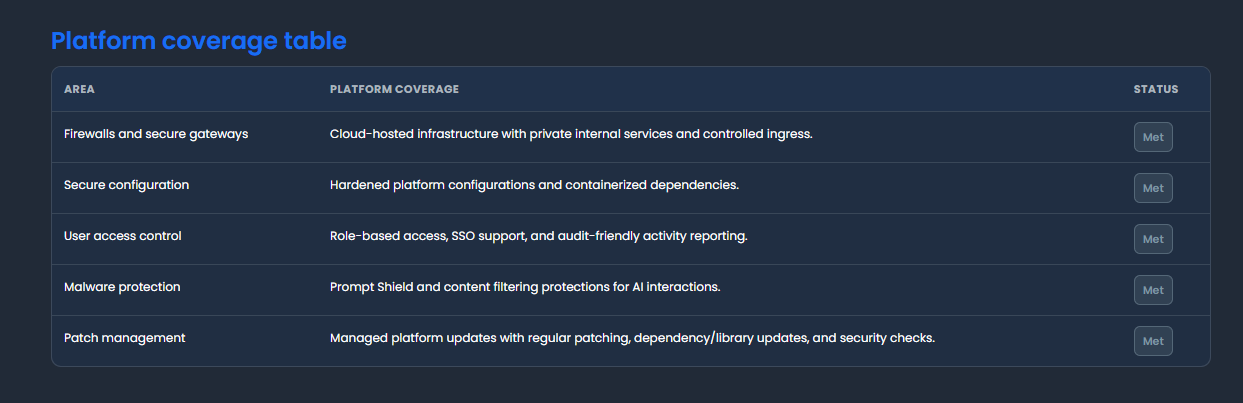
Use the platform coverage table to review how EtherAssist presents Cyber Essentials alignment and shared responsibilities.
Prompt example
Create a Cyber Essentials remediation plan for patch management gaps in a Microsoft 365 and Windows endpoint environment. Include actions, owners, evidence, and review dates.
Expected result
You have a concise Cyber Essentials action plan that separates observed gaps, required evidence, owners, and review dates.
Tips
- Keep names, prompts, and configuration values specific to the task you are performing.
- Check role, subscription, region, and tenant policy when a feature is not visible.
Troubleshooting
| Issue | What to do |
|---|---|
| A control area is missing context | Add the current questionnaire answer or relevant tenant evidence before asking for remediation. |
| The plan is too generic | Include environment details such as endpoint management, identity provider, device count, and patching process. |
| You need certification advice | Treat EtherAssist output as draft preparation material and consult the responsible assessor or compliance owner. |