
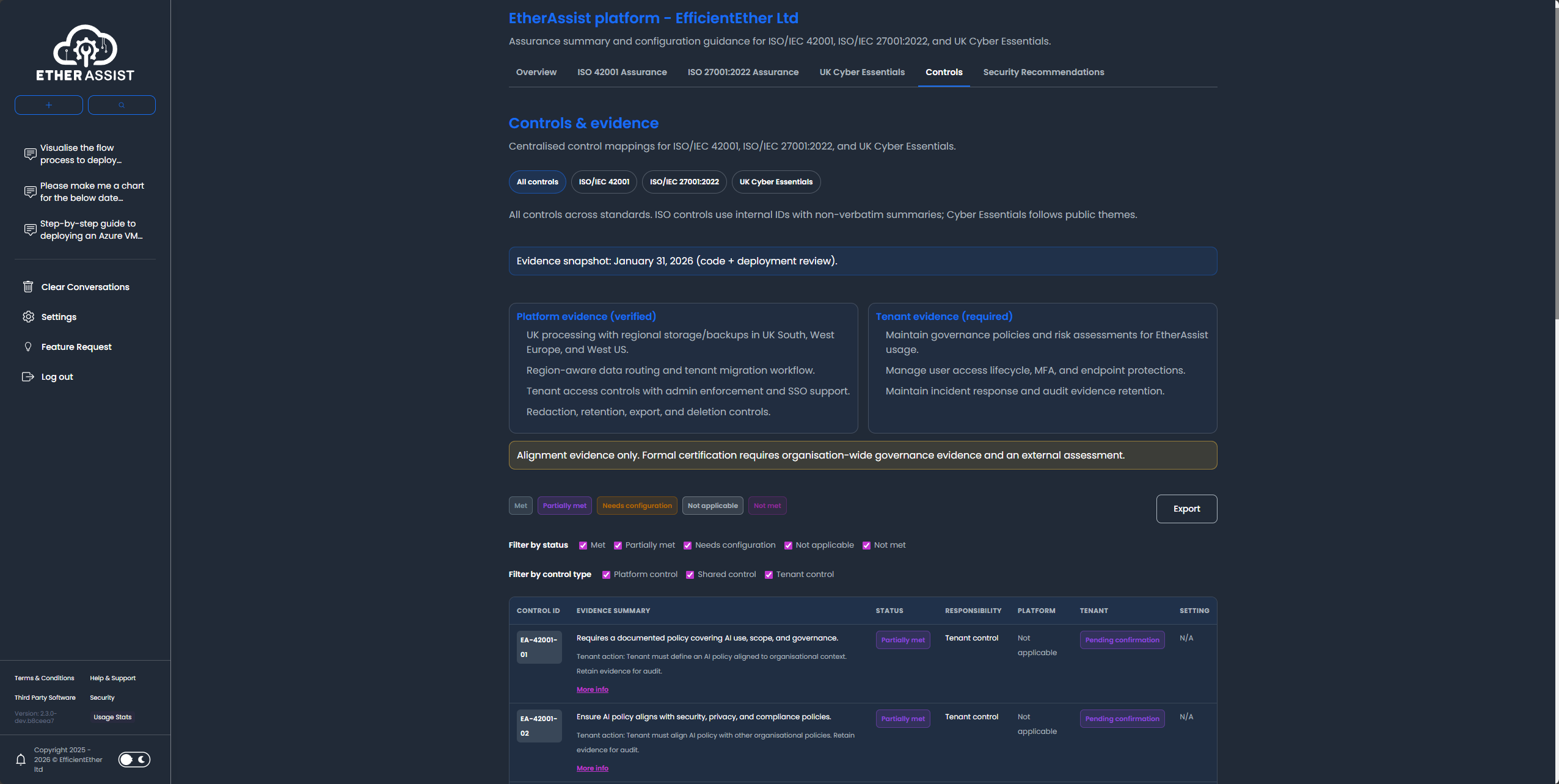
Controls and evidence
Use the controls view to understand how framework requirements map to customer responsibilities, platform posture, evidence, and remediation actions.
Before you begin
- Sign in with an account that has access to this area.
- Confirm the organisation, tenant, or source material you need to work with.
- Keep customer data, secrets, and screenshots within your organisation's handling policy.
Prerequisites
- Access to Security and Compliance in EtherAssist.
- The framework or control set you want to review.
- Any internal evidence, owner notes, or remediation context you want to include.
Review a control
- Open Security from the main navigation.
- Select the controls or evidence area.
- Choose the framework or control group you want to review.
- Capture the control objective, owner, current status, evidence, and required actions.
- Export or copy the reviewed content for internal approval.
Recommended control output
| Section | Purpose |
|---|---|
| Control objective | Describe the outcome the control is intended to achieve. |
| Implementation | Summarise how the organisation meets the control. |
| Evidence | List screenshots, records, logs, policies, or exports needed for review. |
| Owner | Name the accountable team or role. |
| Review cadence | Define how often the control is reviewed. |
| Gaps and actions | Record remediation items, target dates, and validation steps. |
Generate large control packs
For large control sets, use Agent Mode so EtherAssist can produce one document per control and package the output as a downloadable ZIP. Keep one control per document when the source list requires individual control narratives.
Expected result
Each reviewed control has a clear objective, evidence request, owner, review cadence, and next action that can be routed to the responsible team.
Tips
- Keep names, prompts, and configuration values specific to the task you are performing.
- Check role, subscription, region, and tenant policy when a feature is not visible.
Troubleshooting
| Issue | What to do |
|---|---|
| The control list is too large for one response | Use Agent Mode and ask for one document per control. |
| Evidence is incomplete | Add the missing source material or ask EtherAssist to produce an evidence request list. |
| The output reads like formal certification | Reword it as draft assurance support and require qualified review before use. |