
Document Manager
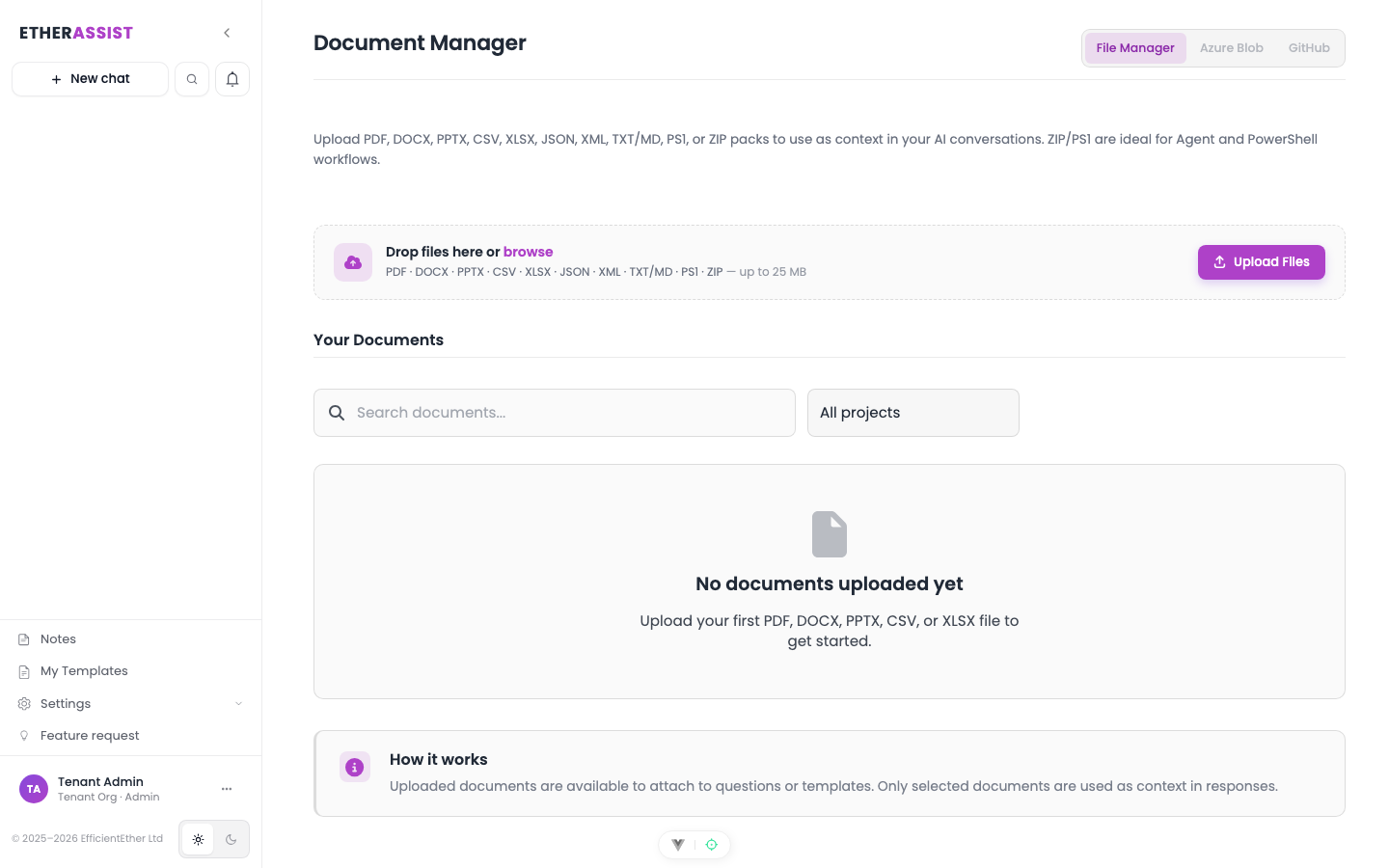
Document Manager stores files that can be reused in chat, templates, workflows, and document-scoped analysis.
Before you begin
- Confirm that the file is approved for processing in EtherAssist.
- Remove passwords, keys, unrelated personal data, and content that is not needed for the task.
- Use clear file names so other users can recognise the document later.
What to store
Use Document Manager for policies, procedures, ticket exports, assessment notes, CSV data, architecture notes, implementation plans, control lists, and other business documents that are safe to process.
Avoid storing temporary screenshots or sensitive one-off files unless your organisation has approved that workflow.
Upload a document
- Open Document Manager.
- Select Upload.
- Choose one or more files.
- Add a project, tag, or description if those fields are available.
- Wait for the file to finish processing.
- Preview the document to confirm it is the correct file.
Expected result: the document appears in Document Manager and can be selected from chat, templates, or Agent Mode.
Use a document in chat
- Open Chat.
- Attach a file directly or select a file from Document Manager.
- Choose the document scope that matches the task.
- Ask a question that names the task, audience, and output format.
- Review the answer against the source document before sharing it.
Example:
Using the attached policy only, extract the control owner, review frequency, required evidence, and open questions. Return the result as a Markdown table. If the policy does not state a value, write "Not specified".
Use a document in Agent Mode
- Open Agent Mode.
- Create or open a task.
- Attach the relevant Document Manager files.
- Describe the output and review standard.
- Run the task.
- Export or save the output when the run is complete.
Expected result: the agent run uses the selected document as task context and records the output in the run history.
Good document prompts
| Task | Example |
|---|---|
| Summarise | Summarise this policy for service desk staff in plain English. |
| Compare | Compare these two procedures and list material differences. |
| Extract | Extract the control owners, evidence requirements, and review frequency. |
| Generate | Use this customer context to draft a change advisory note. |
| Check gaps | Identify missing sections against the supplied control list and list follow-up questions. |
Tips
- Use document-scoped chat when the source file should be treated as authoritative.
- Ask EtherAssist to mark missing information as
Not specifiedinstead of guessing. - Keep large document packs for Agent Mode or workflows, where the task can run in the background.
Next steps
Troubleshooting
| Issue | What to try |
|---|---|
| The feature is not visible | Confirm your role, subscription, and organisation policy allow access to Document Manager. |
| A setting or action does not save | Refresh the page, sign out and back in, then retry the smallest change first. |
| The result differs from the screenshot | Check whether your tenant has a different role, region, policy, or subscription configuration. |