
Data protection in EtherAssist
EtherAssist includes user and administrator controls that help manage conversation data, exports, redaction, and safe handling of sensitive content. Use this page to find the main controls and understand when to use them.
Before you begin
- Confirm your organisation policy for data retention, sharing, and exports.
- Use administrator controls only when your role permits it.
- Do not paste secrets, keys, passwords, or unapproved personal data into prompts.
- Review generated content before sharing it outside your organisation.
Export or purge conversation data
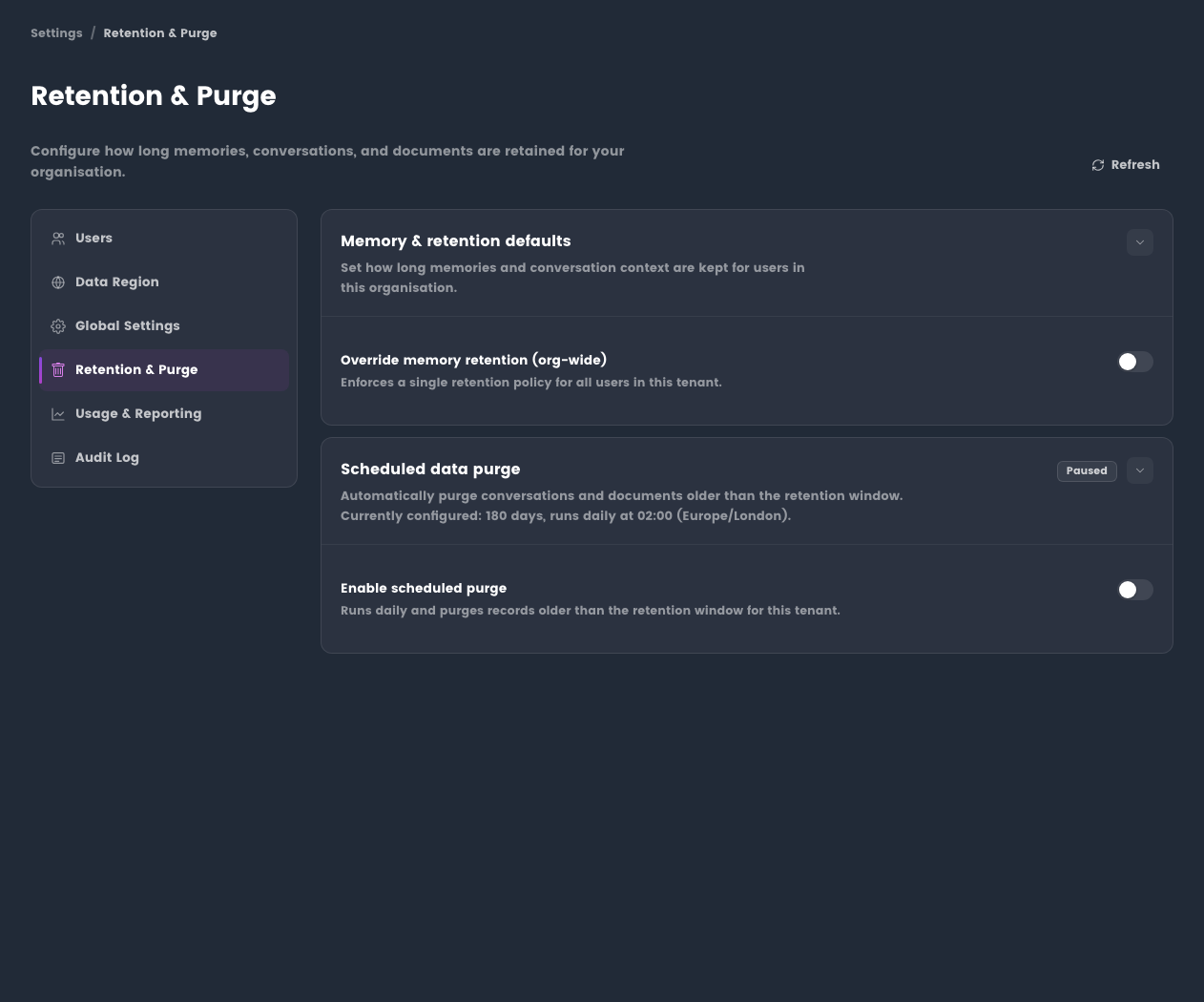
- Open the administration or data management area.
- Select the conversation, user, or data scope you need to manage.
- Choose export when the data is required for review or records.
- Choose purge only when you are authorised to remove the data.
- Confirm the action and record the reason according to your internal process.
Expected result: the selected action completes and the organisation retains an appropriate audit trail.
Use redaction controls
- Review the prompt and generated content for sensitive values.
- Use automatic redaction where available.
- Use manual redaction when the content contains values the automatic process should not expose.
- Confirm the redaction setting in the toolbar before sending sensitive-adjacent material.
Tips
- Attach the smallest relevant file set rather than broad exports.
- Remove secrets before upload even when redaction is enabled.
- Share conversations only with the intended audience.
- Use tenant administration settings to make data controls consistent for all users.
Troubleshooting
| Issue | What to check |
|---|---|
| Export is unavailable | Confirm your role and tenant policy allow exports. |
| Purge option is unavailable | Confirm you have administrator permissions for the selected data. |
| Redaction misses a value | Remove it manually before sending or sharing the content. |
| Shared content contains sensitive data | Stop sharing, redact where possible, and follow your internal incident process. |