
Security and compliance overview
EtherAssist helps organisations prepare security and compliance content, review tenant posture, and turn findings into clear actions. Use this area for customer-safe summaries, evidence preparation, and guided assurance work.
Before you begin
- Sign in with an account that has access to this area.
- Confirm the organisation, tenant, or source material you need to work with.
- Keep customer data, secrets, and screenshots within your organisation's handling policy.
Prerequisites
- An EtherAssist account with access to the Security and Compliance area.
- Permission to view compliance dashboards or organisation settings, where required by your role.
- Current internal policy, control, or audit material when you want EtherAssist to draft or review evidence.
Open Security and Compliance
- Sign in to EtherAssist.
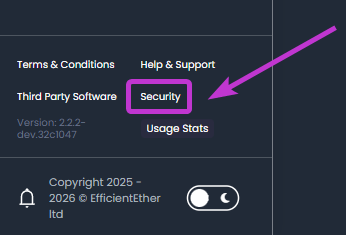
- In the main navigation, select Security.
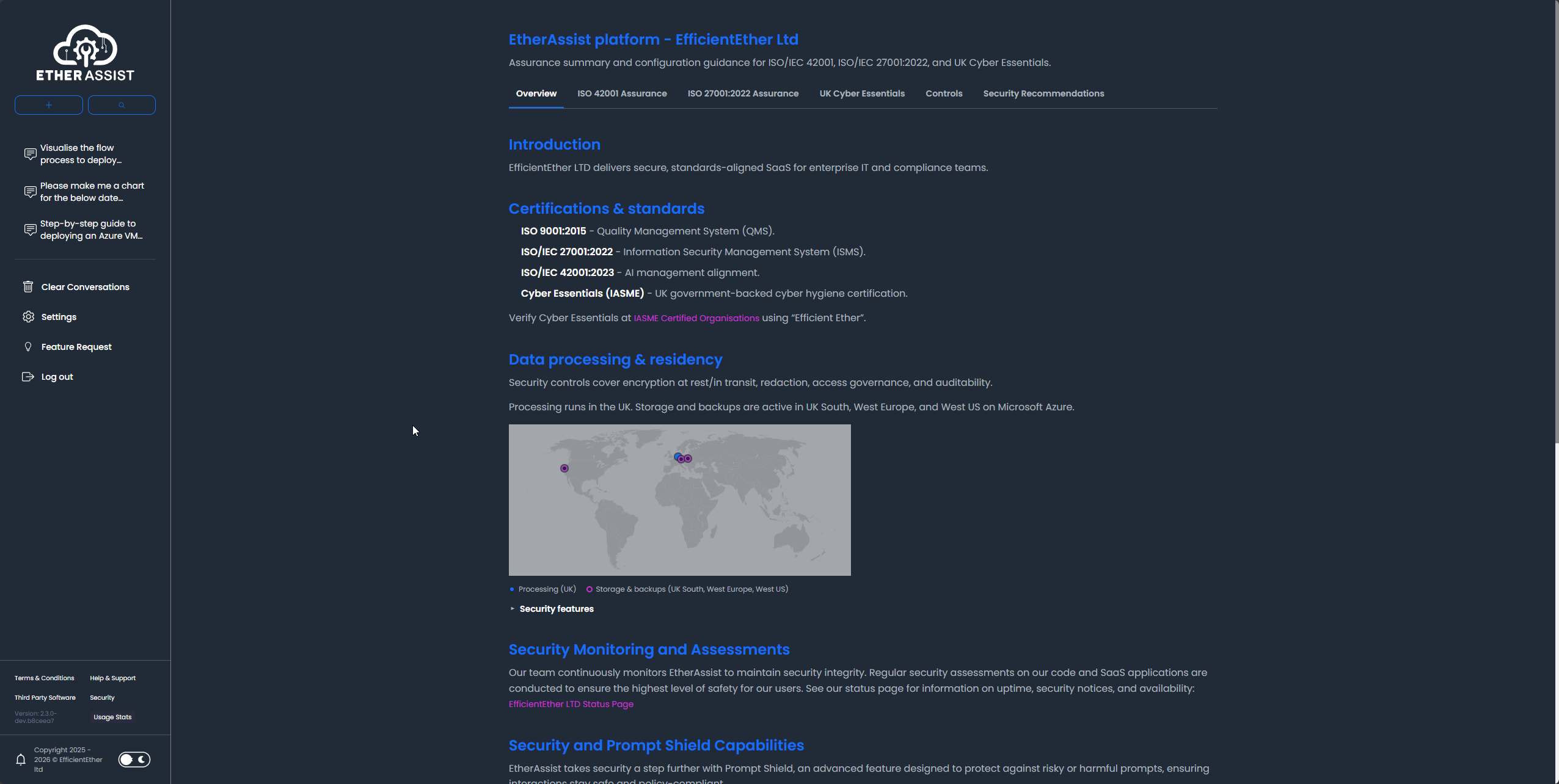
- Review the overview before opening a specific framework, control, or recommendation page.
What you can review
| Area | Use it for |
|---|---|
| Certifications and standards | Understand supported assurance views and framework summaries. |
| Data processing and residency | Review the customer-facing location and processing summary available in the dashboard. |
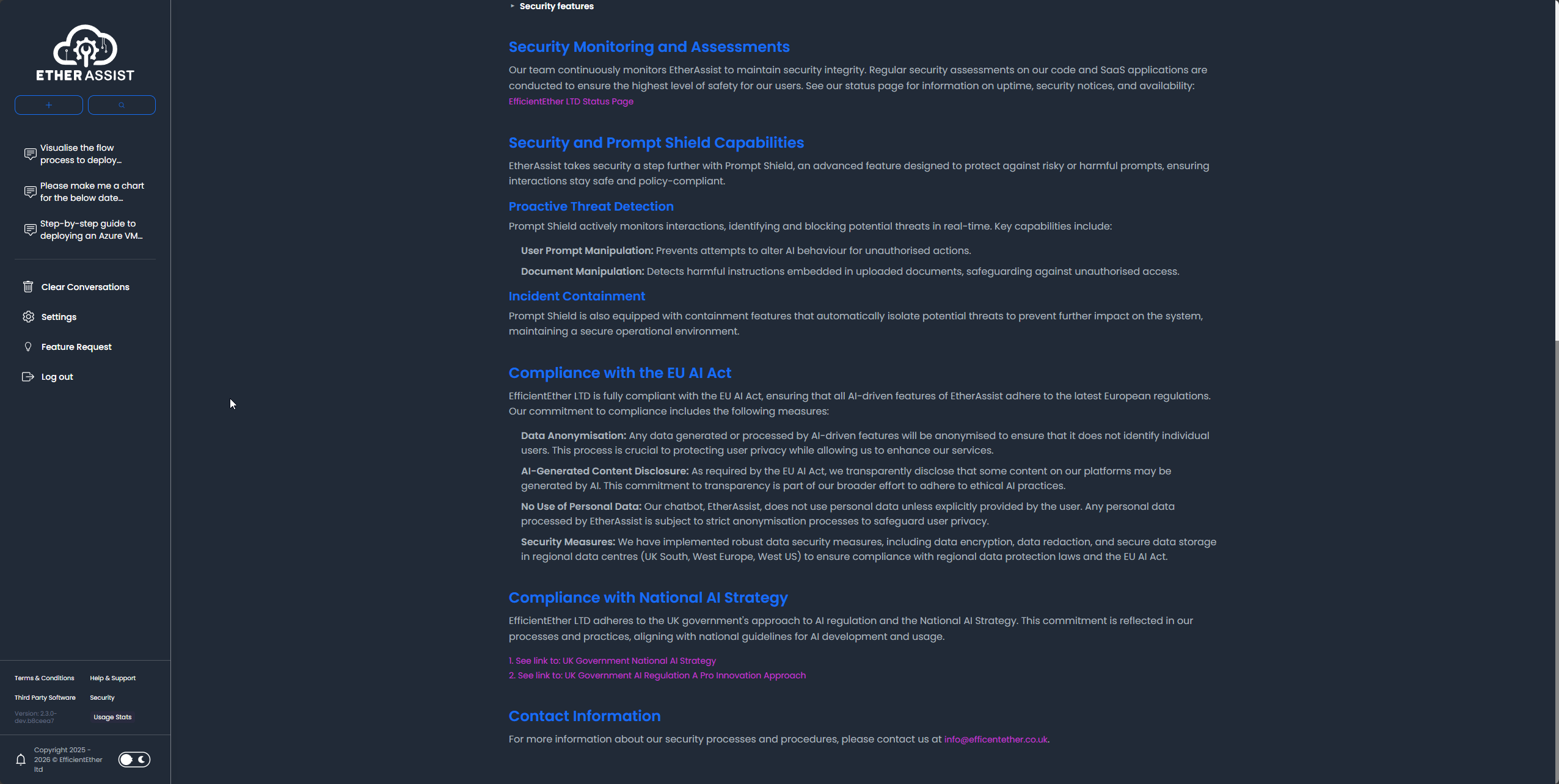
| Security monitoring and assessments | Track visible recommendations and posture indicators. |
| Prompt and content safety | Review available controls that help reduce risky or sensitive content handling. |
| Compliance framework views | Review ISO/IEC 42001, ISO/IEC 27001:2022, and UK Cyber Essentials summaries. |
Expected result
You can identify the relevant assurance area, open the supporting article, and prepare customer-safe evidence or remediation notes without exposing internal implementation details.
Tips
- Keep names, prompts, and configuration values specific to the task you are performing.
- Check role, subscription, region, and tenant policy when a feature is not visible.
Troubleshooting
| Issue | What to do |
|---|---|
| You cannot see the Security option | Ask an administrator to confirm your role and organisation access. Sign out and back in after access changes. |
| The dashboard does not show expected data | Confirm the correct organisation is selected and that your tenant has the relevant feature enabled. |
| You need formal assurance evidence | Use EtherAssist output as a draft, then route it through the accountable security, legal, or compliance owner. |