
Memory Overview
Memory captures your role, preferences, and environment from conversations to personalize responses over time.
Before you begin
- Sign in to EtherAssist.
- Decide whether you want future responses to use remembered preferences.
- Do not save passwords, secrets, private tokens, full customer records, or short-lived incident details.
How it works
- Auto-capture - EtherAssist identifies facts and preferences from your conversations
- Suggested - Captured memories appear as suggestions for your review
- Active - Approved memories are used in future responses
- Manual - You can add memories directly for precise control
Not captured: Passwords, PII, full conversation content, temporary queries.
Memory types
| Type | Use | Example |
|---|---|---|
| Preference | How you work | "Prefer PowerShell 7 with detailed comments" |
| Fact | Role, company, environment | "IT Manager at TechCorp, 500 employees" |
| Project | Current initiatives | "Migrating to Windows 11 Q3 2026" |
| Constraint | Rules, compliance needs | "Must comply with ISO 27001, UK data residency" |
Example
Without memory:
"Create a script to list inactive users" → Generic script
With memory (knows you use Azure AD, prefer PS7):
Same question → Azure AD-specific PS7 script with your preferred error handling
Privacy
- User-scoped - Only you can see your memories
- Encrypted - Stored securely at rest and in transit
- Not shared - Admins cannot view memory content
- Exportable - Download as JSON or CSV anytime
Admins can set org-wide retention policies but cannot read your memories.
Where memory is used
- ✅ Chat Mode, Agent Mode, Compare Mode, API
- ❌ Public shared conversations, other users' queries
Enable memory
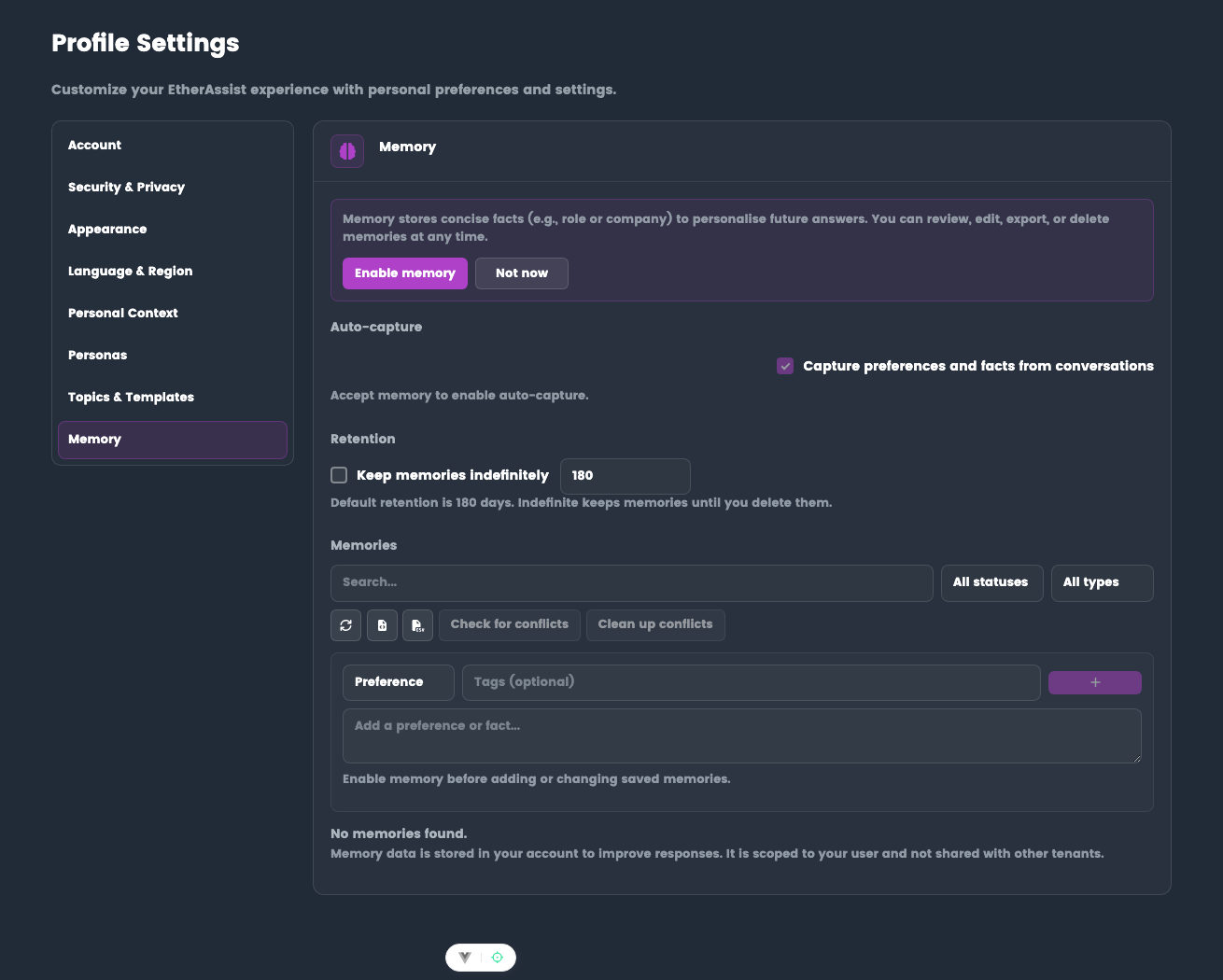
- Go to Settings → Profile → Memory
- Toggle "Capture preferences and facts" to ON
- Use EtherAssist naturally - memory captures relevant context
- Review suggested memories periodically
Tips
- Keep memories concise and stable.
- Use manual memories for important preferences that should apply consistently.
- Review suggested memories before they influence future responses.
Troubleshooting
| Issue | What to check |
|---|---|
| Memory is not used | Confirm memory is enabled and the saved memory is relevant to the new request. |
| Memory should not apply | Disable memory for the request or remove the saved item. |
| Administrator asks to inspect memory content | Memories are user-controlled; export only if you choose to share them. |