
CVE search
CVE search helps you find public vulnerability information and prepare defensive remediation notes for authorised security work.
Before you begin
- Use CVE search for defensive review, patch planning, and customer-safe advisory preparation.
- Provide a specific CVE ID where possible.
- Avoid requests for exploit code, weaponisation, credential attacks, or unauthorised scanning.
- Validate important remediation decisions against vendor guidance before production change.
Use CVE search for
- Understanding a CVE summary.
- Checking severity and affected products.
- Drafting patch or mitigation notes.
- Preparing a customer-safe advisory.
Search for a CVE
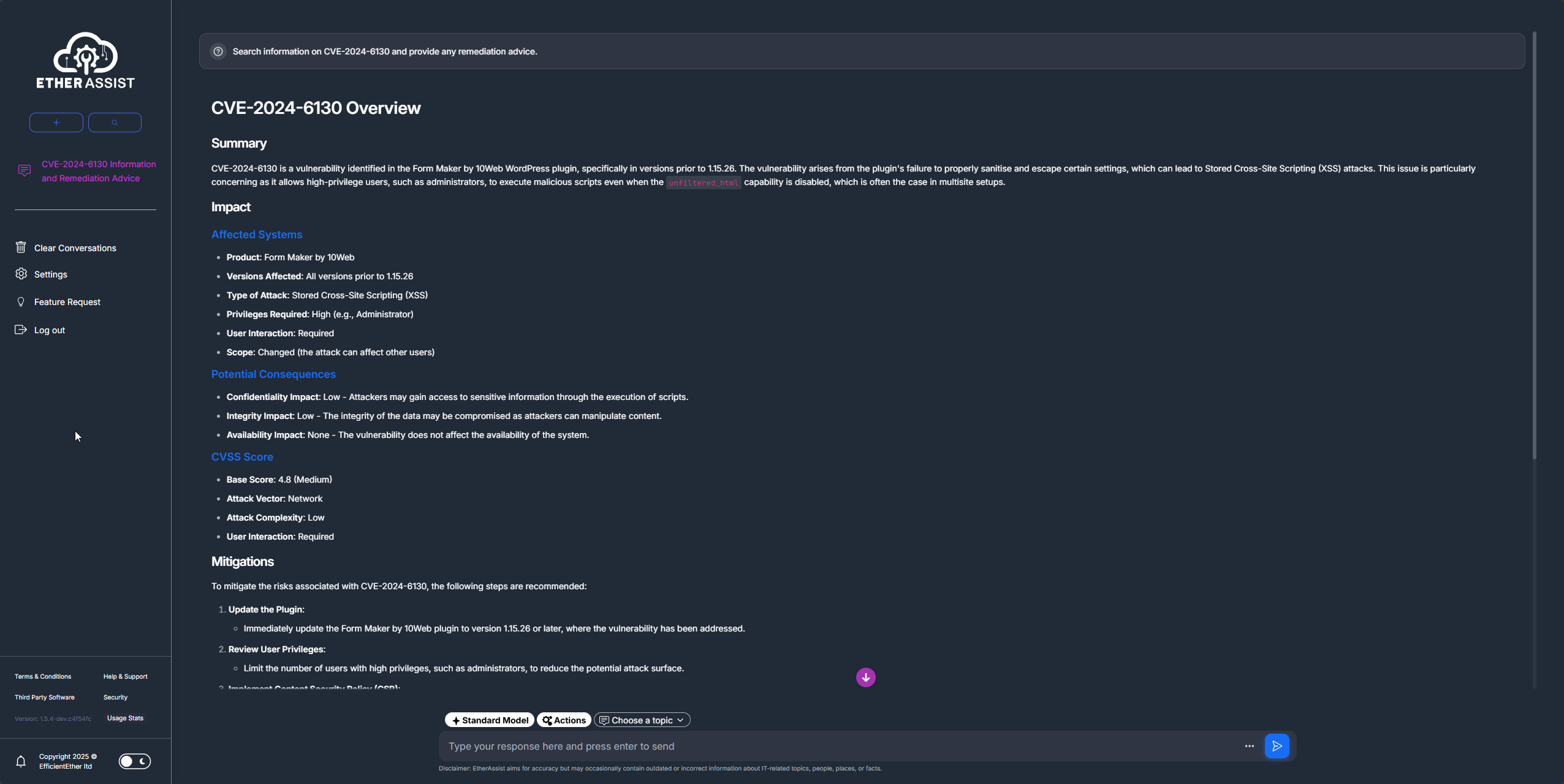
- Open a chat or supported tool-enabled workflow.
- Enable Actions if your tenant requires it.
- Enter the CVE ID or a narrow product vulnerability query.
- Ask for affected products, severity, known exploitation status where available, mitigations, and next steps.
- Record the source and date when using the answer in an advisory or ticket.
Example:
Search for this CVE and summarise affected products, severity, exploitation status where known, mitigations, and recommended next steps.
Tips
- Keep names, prompts, and configuration values specific to the task you are performing.
- Check role, subscription, region, and tenant policy when a feature is not visible.
Troubleshooting
| Issue | What to check |
|---|---|
| CVE not found | Confirm the CVE ID format and publication status. |
| Product match is unclear | Add vendor, product, and version context. |
| Remediation is high impact | Validate against vendor documentation and your change process. |
| Output includes unsafe detail | Stop and re-run the request as a defensive summary only. |