
SSL certificate check
Use SSL certificate check to review certificate expiry, host matching, issuer details, and common TLS signals for a domain or URL you are authorised to assess.
Before you begin
- Confirm you own, administer, or have permission to test the target host.
- Use a single hostname or URL for each check.
- Enable Actions in chat if your tenant requires tool access to be switched on.
- Do not include credentials, bearer tokens, or private URLs in the request.
What to check
- Certificate expiry.
- Subject and subject alternative names.
- Issuer.
- Hostname match.
- Basic chain or TLS signal issues where available.
Run an SSL certificate check
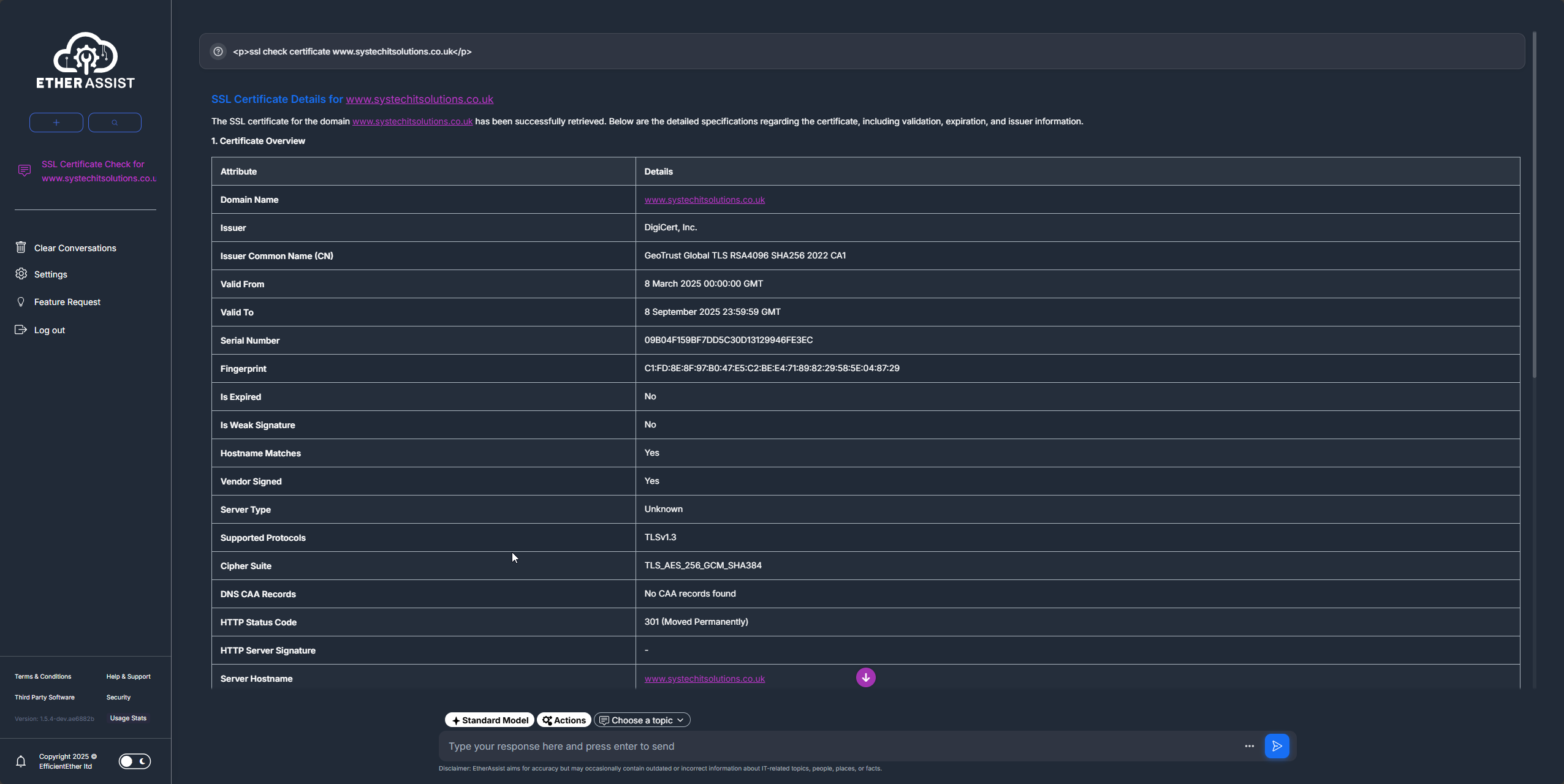
- Open a chat or supported tool-enabled workflow.
- Enable Actions if it is not already enabled.
- Enter the hostname or URL.
- Ask EtherAssist to check expiry, hostname match, issuer, and any action required.
- Review the result before using it in a ticket, report, or customer update.
Example:
Check the SSL certificate for this authorised host and summarise expiry, hostname match, issuer, and any action required.
Tips
- Keep names, prompts, and configuration values specific to the task you are performing.
- Check role, subscription, region, and tenant policy when a feature is not visible.
Troubleshooting
| Issue | What to check |
|---|---|
| No certificate returned | Confirm the hostname is correct and reachable on HTTPS. |
| Hostname mismatch | Check whether the certificate SAN list includes the exact host you tested. |
| Expiry warning | Renew or replace the certificate before the reported expiry date. |
| Conflicting results | Compare against the certificate installed on the public endpoint and any reverse proxy in front of it. |