
DNS check
Use DNS check to review public DNS records for a domain you own, administer, or have permission to assess.
Before you begin
- Use a domain name, not a full URL.
- Confirm the domain is in scope for your troubleshooting request.
- Enable Actions in chat if required by your tenant.
- Decide whether you need all common records or a specific record type such as MX, TXT, or CAA.
Common record types
| Type | Use |
|---|---|
| A or AAAA | Host address records. |
| CNAME | Alias records. |
| MX | Mail routing. |
| TXT | SPF, verification, and policy records. |
| NS | Authoritative name servers. |
Run a DNS check
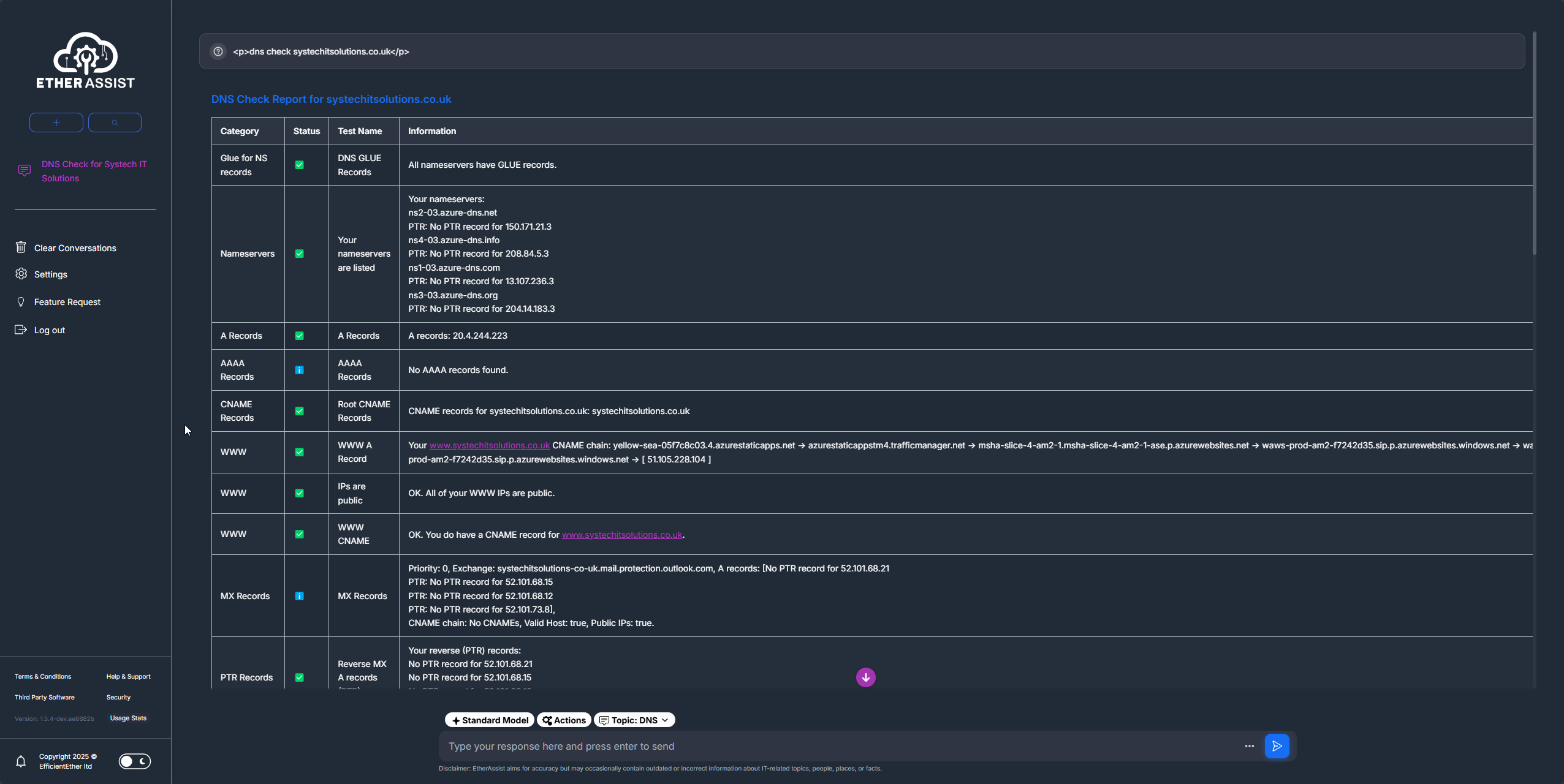
- Open a chat or supported tool-enabled workflow.
- Enable Actions if it is not already enabled.
- Enter the exact domain name.
- Ask for all DNS records or name the record type you want checked.
- Review the returned records and any configuration notes.
Example:
Check DNS records for this domain and summarise any obvious mail, verification, or hostname issues.
Tips
- Keep names, prompts, and configuration values specific to the task you are performing.
- Check role, subscription, region, and tenant policy when a feature is not visible.
Troubleshooting
| Issue | What to check |
|---|---|
| Missing records | Confirm the record exists in the authoritative DNS zone and has propagated. |
| Mail issues | Review MX, SPF, DKIM, and DMARC together rather than checking one record in isolation. |
| Unexpected values | Check whether a CDN, hosting provider, or delegated zone owns the record. |
| Incomplete output | Run a targeted query for the specific record type. |