
Topics
Topics help EtherAssist tailor responses for specialist areas such as Microsoft 365, Entra, Intune, Azure, Windows, PowerShell, application packaging, VDI, ISO standards, Cyber Essentials, and general IT troubleshooting.
Before you begin
- Confirm the topic is visible in your account.
- Use General when specialist grounding is not required.
- Use Auto when EtherAssist should choose from the topics visible to you.
- Use Topics when the request depends on product-specific or framework-specific guidance.
Topic modes
| Mode | Behaviour |
|---|---|
| General | Uses broad assistant behaviour without specialist topic grounding. |
| Auto | Lets EtherAssist choose the best visible topic for the request. |
| Topics | Lets you choose one or more specialist topics explicitly. |
Use Auto when the request is clear but the best topic is not obvious. Use Topics when you know the product, platform, or compliance framework that should ground the answer.
Step 1: Choose a topic for a request

- Open Chat.
- Select Auto when EtherAssist should choose the topic.
- Select Topics when you want to choose the product or framework yourself.
- Choose a specific topic if you know the product, platform, or framework.
- Attach relevant files if the answer should use your organisation's content.
- Send the request.
Expected result: EtherAssist answers using the selected or routed topic where tenant policy allows it.
Examples
| Need | Topic |
|---|---|
| Conditional Access policy explanation | Microsoft Entra |
| Device compliance troubleshooting | Intune |
| Host pool design | Azure Virtual Desktop |
| Audit-ready policy drafting | ISO 27001 or Cyber Essentials |
| Script review | PowerShell |
| App deployment troubleshooting | MSIX, App Attach, WinGet, or application packaging |
Administrator controls
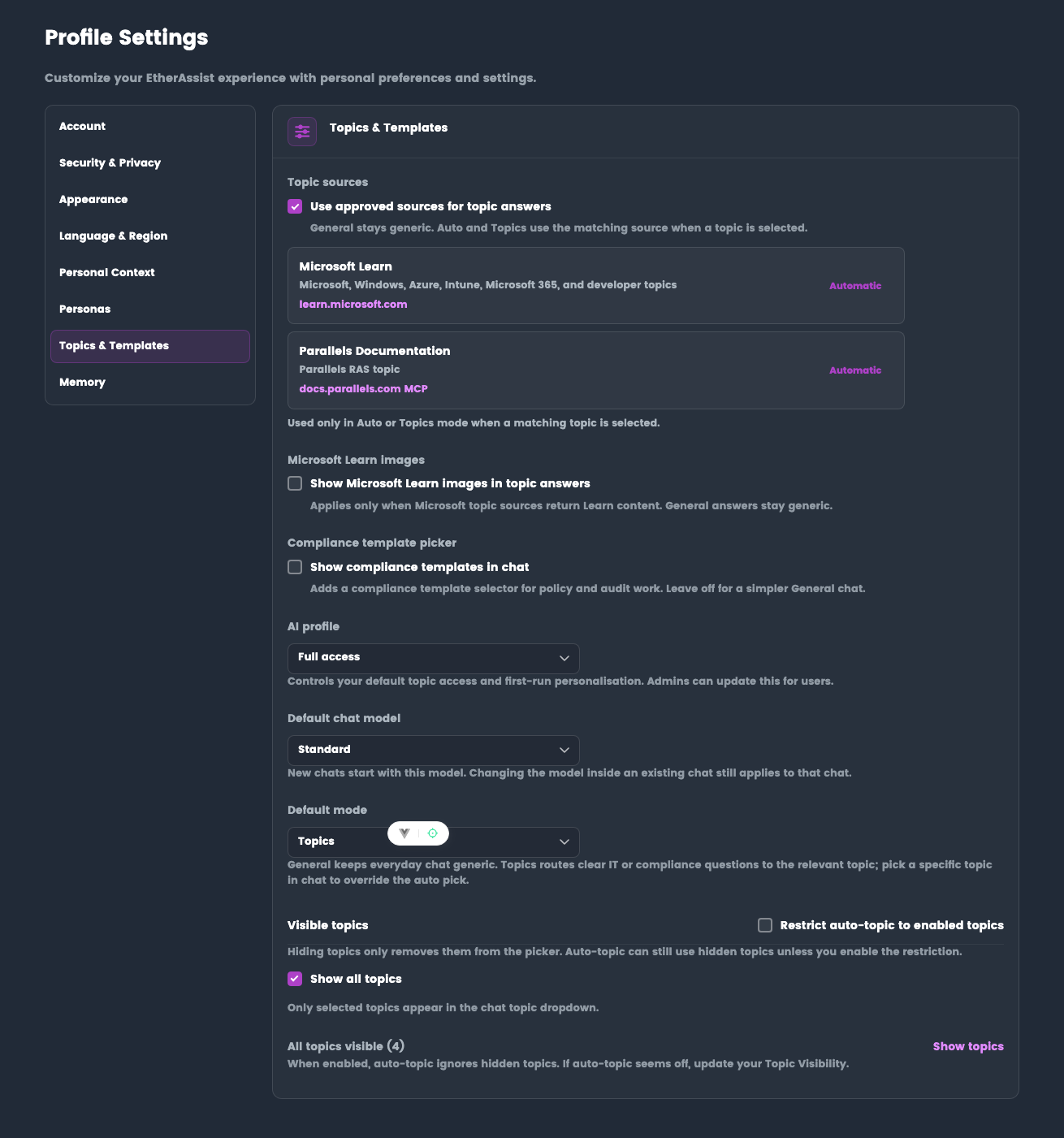
Administrators can hide topics, restrict automatic topic routing, and limit which topic sources are available. If a topic is not visible, contact your administrator.
Tips
- Choose the narrowest topic that fits the request.
- If the answer seems generic, ask EtherAssist to retry using a named topic.
- For compliance outputs, state whether you need a draft policy, evidence checklist, procedure, or control mapping.
- For Microsoft cloud questions, include the workload, portal area, and intended audience.
Next steps
Troubleshooting
| Issue | What to try |
|---|---|
| The feature is not visible | Confirm your role, subscription, and organisation policy allow access to Topics. |
| A setting or action does not save | Refresh the page, sign out and back in, then retry the smallest change first. |
| The result differs from the screenshot | Check whether your tenant has a different role, region, policy, or subscription configuration. |