
Global settings
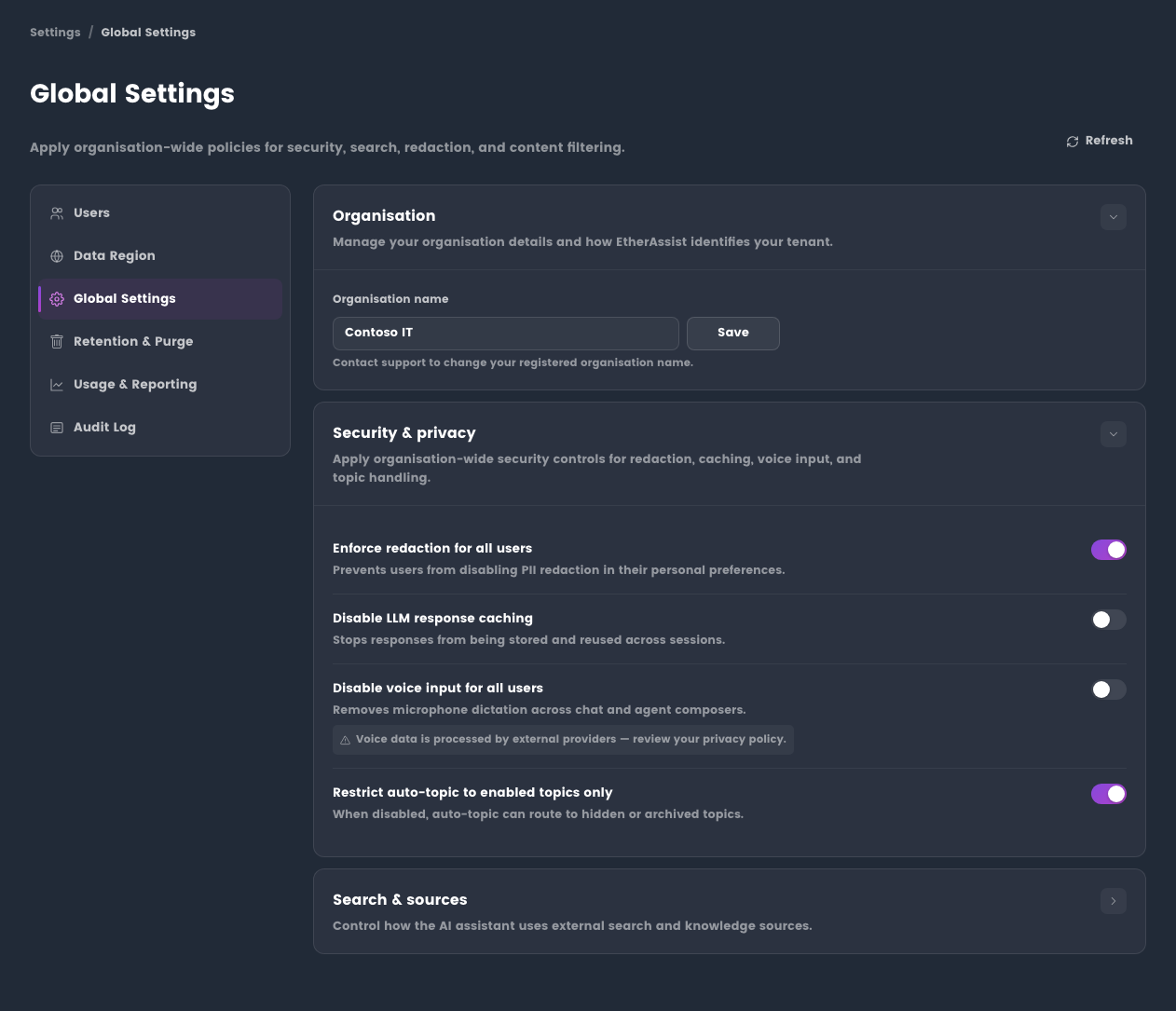
Global settings apply to all users in the tenant. Only administrators can change them.
Location: Administration → Global Settings
Use this page when you need to enforce tenant-wide AI, search, voice, redaction, and topic-source policy.
Before you begin
- Confirm the policy should apply to every user in the organisation.
- Notify users when a change removes a feature they currently use.
- Review user-level exceptions in Manage users before applying stricter tenant policy.
Available policies
| Policy | Effect |
|---|---|
| Enforce redaction | Requires redaction controls for all users when supported. Users cannot disable the enforced setting. |
| Disable response caching | Prevents generated responses from being stored for reuse. This can increase usage and response time. |
| Disable voice input for all users | Removes microphone dictation from chat and agent composers. |
| Disable web search | Removes Web Search availability across the tenant. |
| Disable topic sources | Prevents specialist topic source grounding where tenant policy requires it. |
| Force internal and Microsoft sources only | Blocks non-approved external sources and disables web search. |
| Restrict auto-topic | Limits Auto routing to topics enabled for the user. |
| Web search allow/block lists | Controls which domains can be used or excluded when web search is enabled. |
Voice input policy
Voice input can be disabled tenant-wide when your organisation does not permit microphone dictation or external speech processing.
When enabled, remind users not to dictate passwords, tokens, personal data, or confidential tenant information.
Topic and source policy
Use topic-source controls to define whether specialist answers may use approved external sources.
For user-facing settings, see Topics and templates.
Apply changes
- Open Administration → Global Settings.
- Review the current tenant policy state.
- Change one policy area at a time where practical.
- Save the policy.
- Ask affected users to refresh or sign out and sign back in if they do not see the new state.
- Review usage or audit activity if you need evidence that the change took effect.
Expected result: the tenant policy is applied to new requests and user settings reflect the enforced state.
Tips
- Communicate tenant-wide changes before applying them to production users.
- Test with a standard user when a policy affects access or visible controls.
- Keep web search allow/block lists short and intentional so they are easy to review.
Troubleshooting
| Issue | What to check |
|---|---|
| User still sees a disabled feature | Ask the user to refresh, start a new chat, or sign out and back in. |
| Topic source is unavailable | Check both global topic-source policy and the user's Topics & Templates settings. |
| Web search is blocked unexpectedly | Review disable-web-search, force-approved-sources, and allow/block list settings together. |