
Agent Mode overview
Agent Mode is for work that needs more structure than a single chat response. Use it for longer reviews, reusable tasks, workflow automation, scheduled jobs, exports, and integration actions.
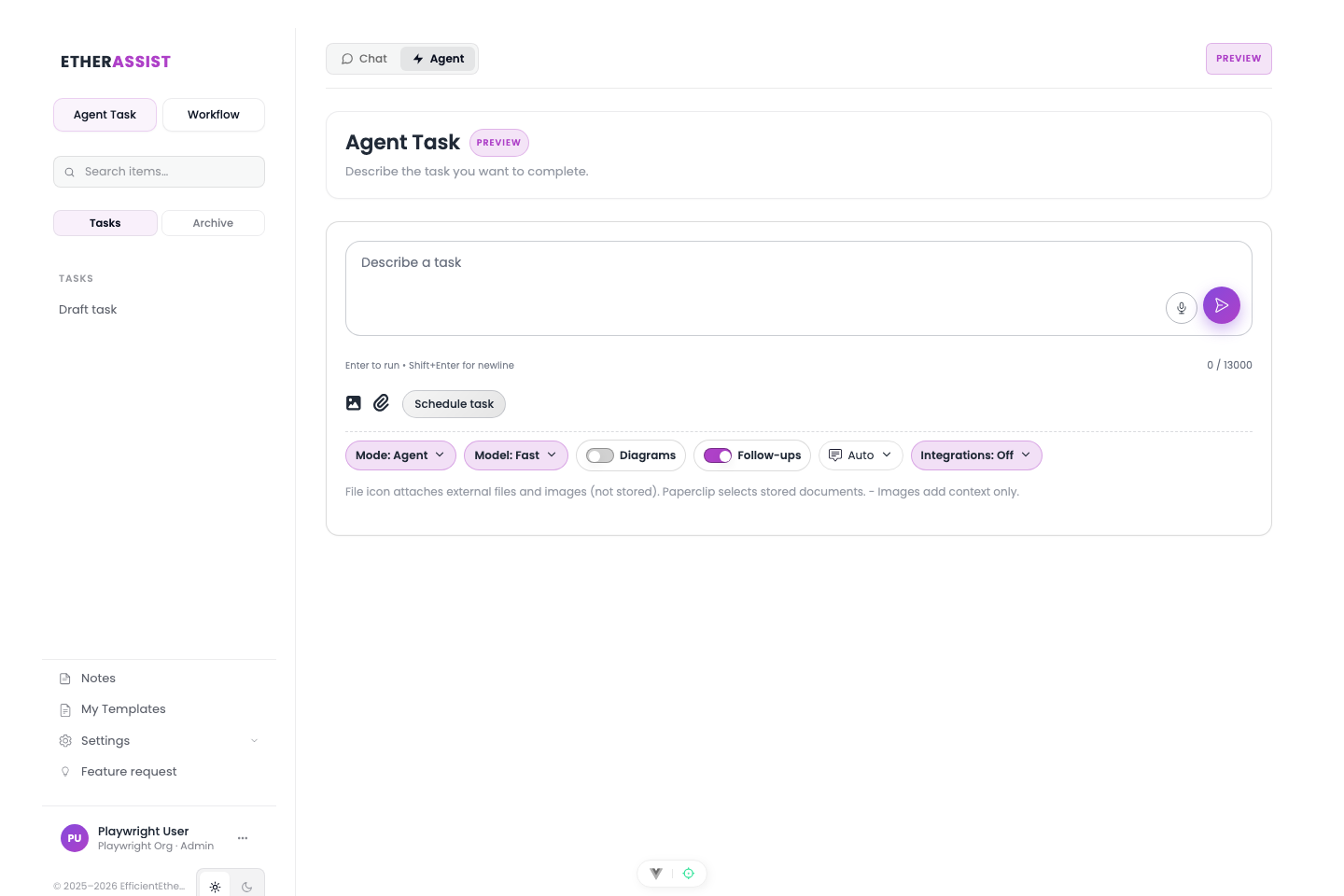
When to use Agent Mode
| Use chat when | Use Agent Mode when |
|---|---|
| You need an immediate answer. | The task may take several steps or longer to run. |
| You are refining one response interactively. | You need persistent run history and follow-up runs. |
| You do not need export actions. | The task should produce downloadable artifacts. |
| You are asking one question. | The task uses files, integrations, schedules, or branches. |
Core concepts
| Concept | Meaning |
|---|---|
| Task | The reusable container for a piece of work. |
| Run | One execution of a task. Tasks can have multiple runs and follow-ups. |
| Workflow | A repeatable sequence of prompt, condition, action, and export steps. |
| Output | The generated answer, document, file, ticket note, or artifact. |
Before you begin
- Define the task outcome before attaching files.
- Choose a model based on the output risk and depth.
- Attach only documents that are needed for the run.
- Decide whether the task can pause for follow-up questions.
Start with a simple task
- Open Agent Mode.
- Create a new task.
- Add a short title.
- Describe the goal, audience, and output format.
- Choose the model.
- Attach files or integration sources if needed.
- Run the task.
- Review progress and output.
Expected result: the run appears in the task history and produces an output you can review, refine, export, or continue in chat.
Add workflows when the task repeats
Use a workflow when the same work needs steps such as planning, asking for missing information, generating multiple outputs, checking a condition, exporting files, or posting to an integration.
Tip: Do not build a workflow for a one-off prompt. Start with a task, then convert the pattern into a workflow after it has repeated.
Common Agent Mode tasks
| Task | Recommended setup |
|---|---|
| Draft a document pack | Attach source documents, use separate document generation, add a ZIP/DOCX export action. |
| Review a support ticket | Attach or import the ticket context, ask for diagnosis, next steps, and a private note. |
| Prepare a compliance gap review | Attach control lists and evidence, ask for gaps, assumptions, and follow-up questions. |
| Run scheduled checks | Use scheduling only after a manual run succeeds. |
| Build an integration workflow | Add an Action step after a successful content-generation step. |
Tips
- Keep names, prompts, and configuration values specific to the task you are performing.
- Check role, subscription, region, and tenant policy when a feature is not visible.
Troubleshooting
| Issue | What to try |
|---|---|
| The feature is not visible | Confirm your role, subscription, and organisation policy allow access. |
| A setting or action does not save | Refresh the page, sign out and back in, then retry the smallest change first. |
| The result differs from the screenshot | Check whether your tenant has a different role, region, policy, or subscription configuration. |