
Personal Context
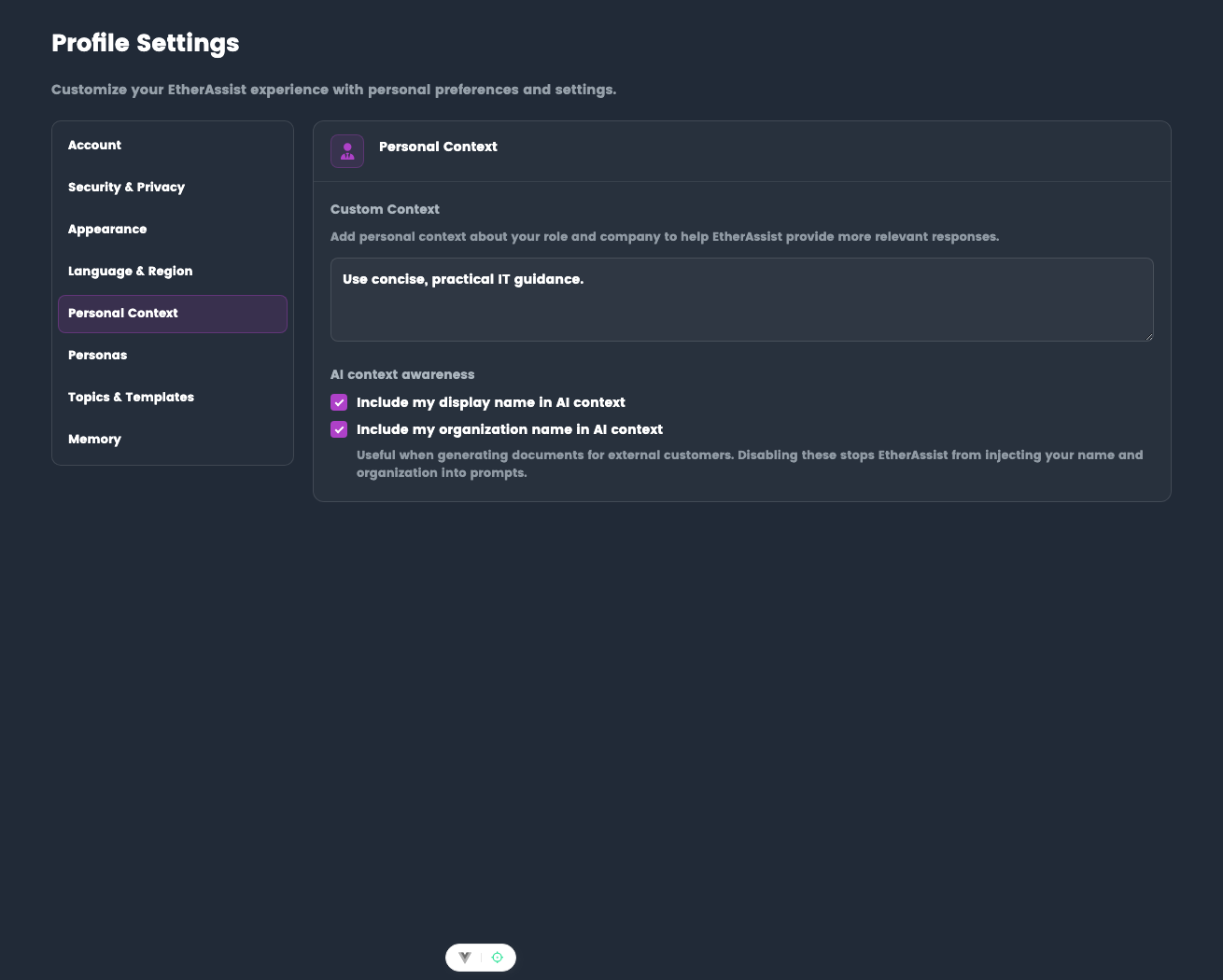
Add context about your role and environment to help EtherAssist produce more relevant answers and documents.
Location: Settings → Profile → Personal Context
Before you begin
- Sign in to EtherAssist.
- Decide what stable role, audience, and technology context should influence future responses.
- Avoid adding sensitive customer records, secrets, or one-off incident details.
What it does
Personal Context is a short account-level description that EtherAssist can use when preparing responses. It is useful for stable details such as your role, common technology stack, preferred working style, or document audience.
Personas are managed separately. Use Personal Context for your baseline profile, then use Personas when you need reusable presets such as Support, Documentation, or ISO Audit.
EtherAssist can also use lightweight profile context to stay consistent:
- Current date/time (UTC), formatted to your Language & Region settings
- Your language preference (British or American English)
- Optionally, your display name and organization name to help fill author/organization placeholders in documents
If you are writing for external customers, you can disable injecting your display name and organization name in Settings → Profile → Personal Context (AI context awareness).
Set up
- Open Settings → Personal Context.
- Add a concise summary of your role, environment, and output preferences.
- Choose whether EtherAssist may include your display name and organisation name in AI context.
- Save the settings.
Expected result: new chats can use your baseline context when it is relevant.
Example:
I am the IT Manager for Company X, specialising in software development
and cloud infrastructure. We use Microsoft 365 E5, Azure, and Intune.
Personas
- Personal Context: Uses your baseline Personal Context settings.
- Blank: Starts without extra persona context, useful for external/customer documents.
- Named personas: Uses one of your saved presets.
Tips
- Keep it concise (2-3 sentences)
- Include role, company, and key technologies
- Update when your role or tech stack changes
- Works alongside Memory for deeper personalization
Personal Context vs Memory
| Feature | Personal Context | Memory |
|---|---|---|
| How set | Manual text prompt | Auto-captured + manual |
| Content | Role/company summary | Individual facts, preferences |
| Scope | Always included | Selectively applied |
| Best for | Baseline context | Evolving preferences |
Troubleshooting
| Issue | What to check |
|---|---|
| Responses include the wrong role | Update Personal Context and start a new chat. |
| Customer document should not include your organisation | Disable display name and organisation injection for that work. |
| Need a different tone for one task | Use a persona instead of changing baseline context. |