
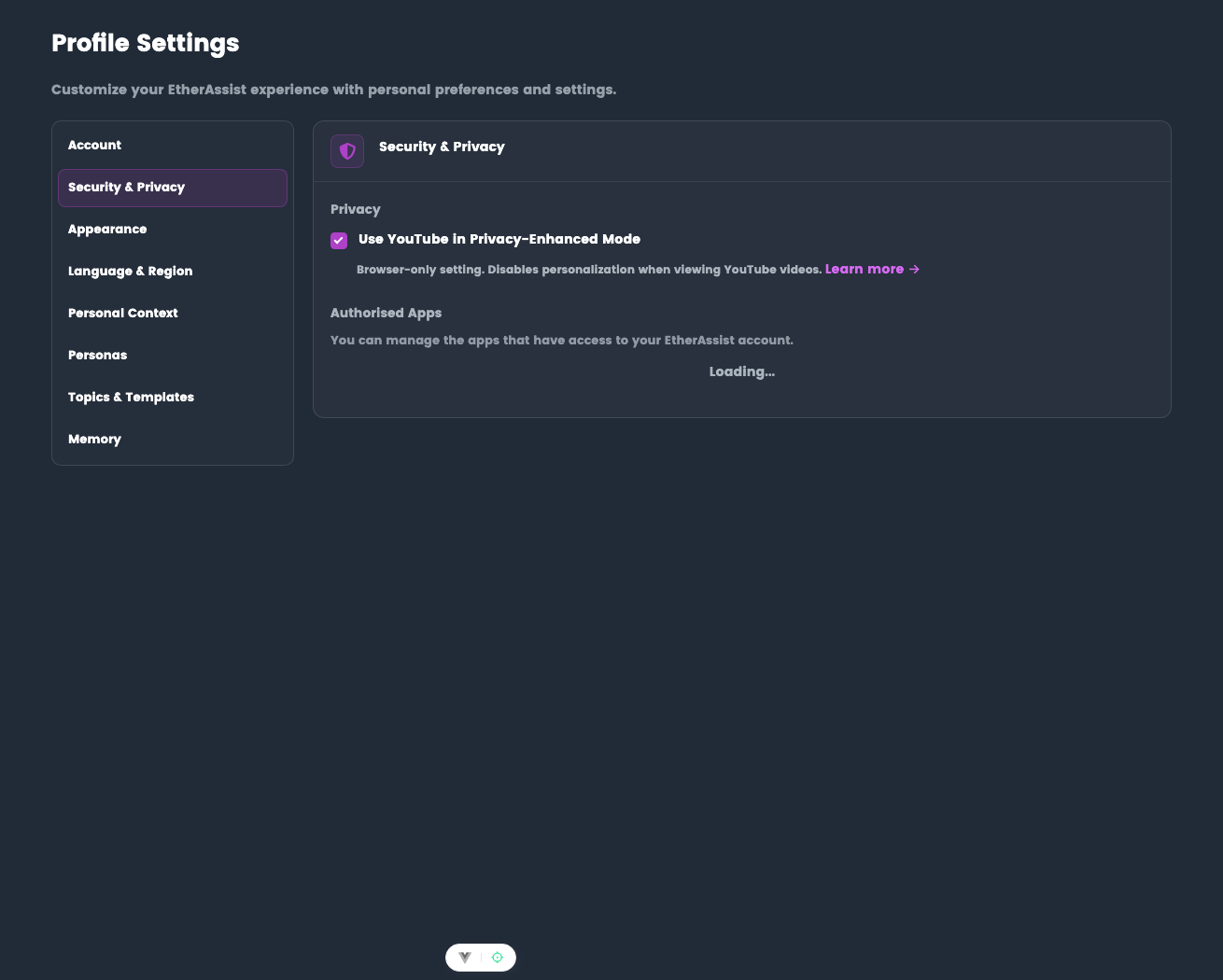
Security & Privacy
Manage privacy controls and third-party app access.
Location: Settings → Profile → Security & Privacy
Before you begin
- Sign in to EtherAssist.
- Review your organisation's privacy expectations before enabling web search or third-party app access.
- Do not include passwords, tokens, or confidential tenant data in external search prompts.
YouTube Privacy-Enhanced Mode
When enabled, YouTube videos embedded in documentation and responses load without tracking cookies.
- Browser-only setting
- Disables YouTube personalization for embedded videos
- Does not affect YouTube when visited directly
Toggle: Use YouTube in Privacy-Enhanced Mode
Web Search data handling
When you use the Web Search model, query text is sent to Brave Search API over HTTPS to retrieve external sources.
- Brave Search API may retain query records for up to 90 days for billing, troubleshooting, and abuse prevention.
- Do not include passwords, tokens, personal data, or confidential tenant information in Web Search prompts.
Reference: Brave Search API privacy notice
Authorized Apps
View and manage third-party applications connected to your EtherAssist account.
View linked apps
- Open Settings → Security & Privacy.
- Go to Authorized Apps.
- Review each connected application and its permissions.
Revoke access
- Find the app in the list
- Click Remove or Revoke
- App loses access immediately
If no apps are linked, the section displays "No linked apps".
Tips
- Use privacy-enhanced YouTube mode when you prefer embedded videos to avoid tracking cookies.
- Review authorized apps periodically and remove anything you no longer use.
- Use Web Search only for prompts that are safe to send to an external search provider.
Troubleshooting
| Issue | What to check |
|---|---|
| Web Search is unavailable | Your administrator may have disabled web search or restricted approved sources. |
| App still appears connected | Refresh the page after revoking access, then sign out and back in if needed. |
| Embedded video behaves differently | Confirm whether privacy-enhanced mode is enabled. |