
Use EtherAssist effectively
Use this guide to ask better questions, attach the right context, review answers, and turn useful responses into reusable work.
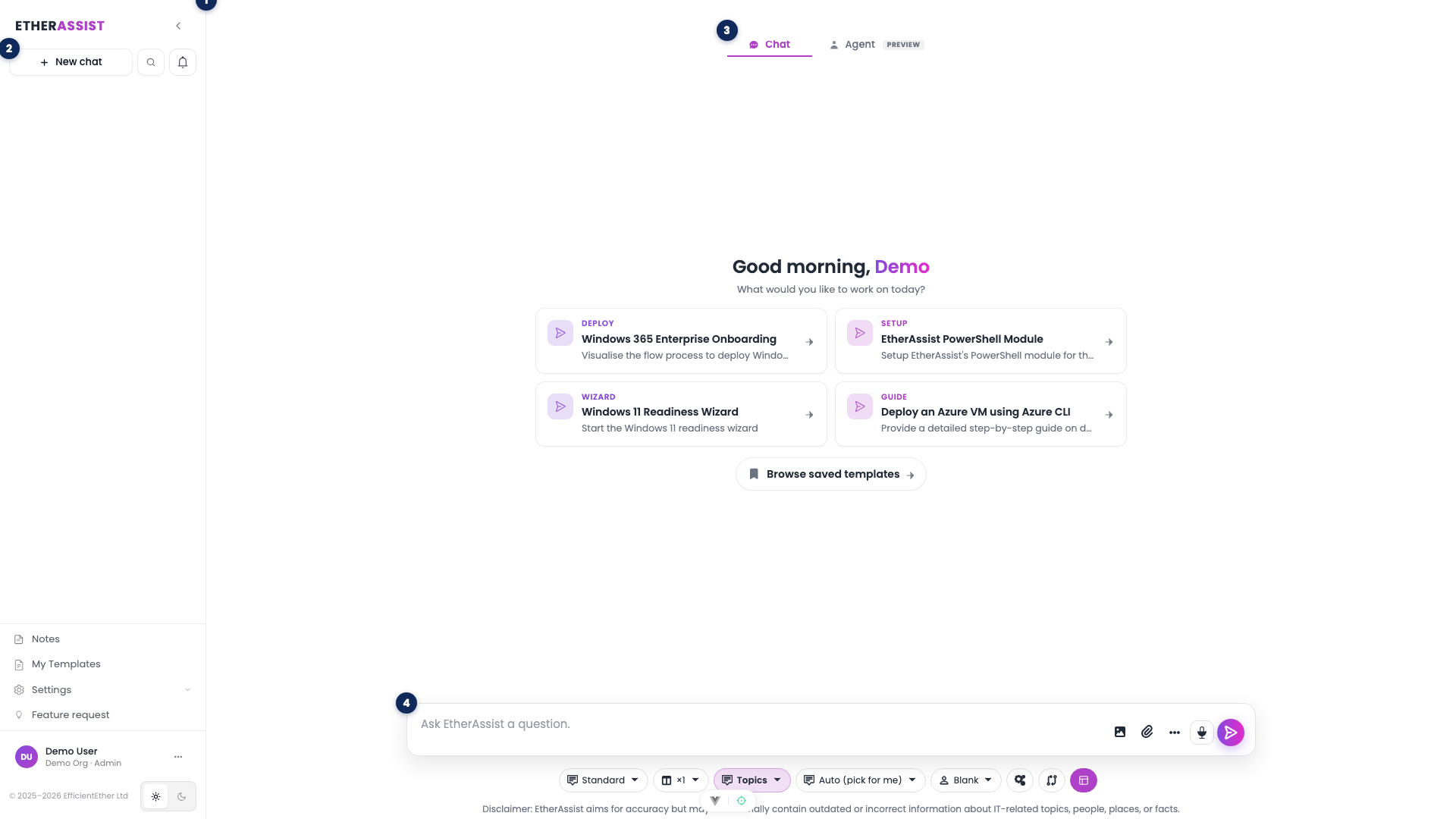
See Product orientation for a full tour of the workspace layout shown above. This article focuses on the prompt-and-response workflow inside it.
Before you begin
- Know the outcome you need: answer, checklist, script, policy, diagram, table, or export.
- Remove secrets and unnecessary customer data.
- Choose a model based on task depth.
- Attach only the files needed for the answer.
Write a clear prompt
- State the task in the first sentence.
- Add the audience and output format.
- Include constraints, such as platform, version, region, or compliance framework.
- Add relevant error text or source excerpts.
- Ask for assumptions or uncertainties when accuracy matters.
Example:
Create a customer-safe troubleshooting checklist for this Windows Autopilot error. Include likely causes, checks, remediation steps, and when to escalate.
Use feedback and refinement
- Review the answer against your prompt.
- Use feedback controls when the answer is incorrect or incomplete.
- Ask a focused follow-up instead of restarting the conversation.
- Export or share only after review.
Create communication drafts
- State the recipient and tone.
- Provide the technical facts that must be included.
- Ask EtherAssist to keep the wording customer-safe.
- Translate only after the source message is correct.
Generate documents
- State the document type and audience.
- Include required sections and constraints.
- Ask for Markdown, DOCX-ready structure, or another supported format.
- Review the draft with the accountable owner.
- Export the final version.
Troubleshooting
| Issue | What to check |
|---|---|
| Answer is too generic | Add product, version, audience, and output format. |
| Answer is too long | Ask for a summary first, then request detail by section. |
| Answer misses attached content | Name the attachment and the sections to use. |
| Output is not safe to share | Ask for customer-safe wording and remove sensitive details. |