
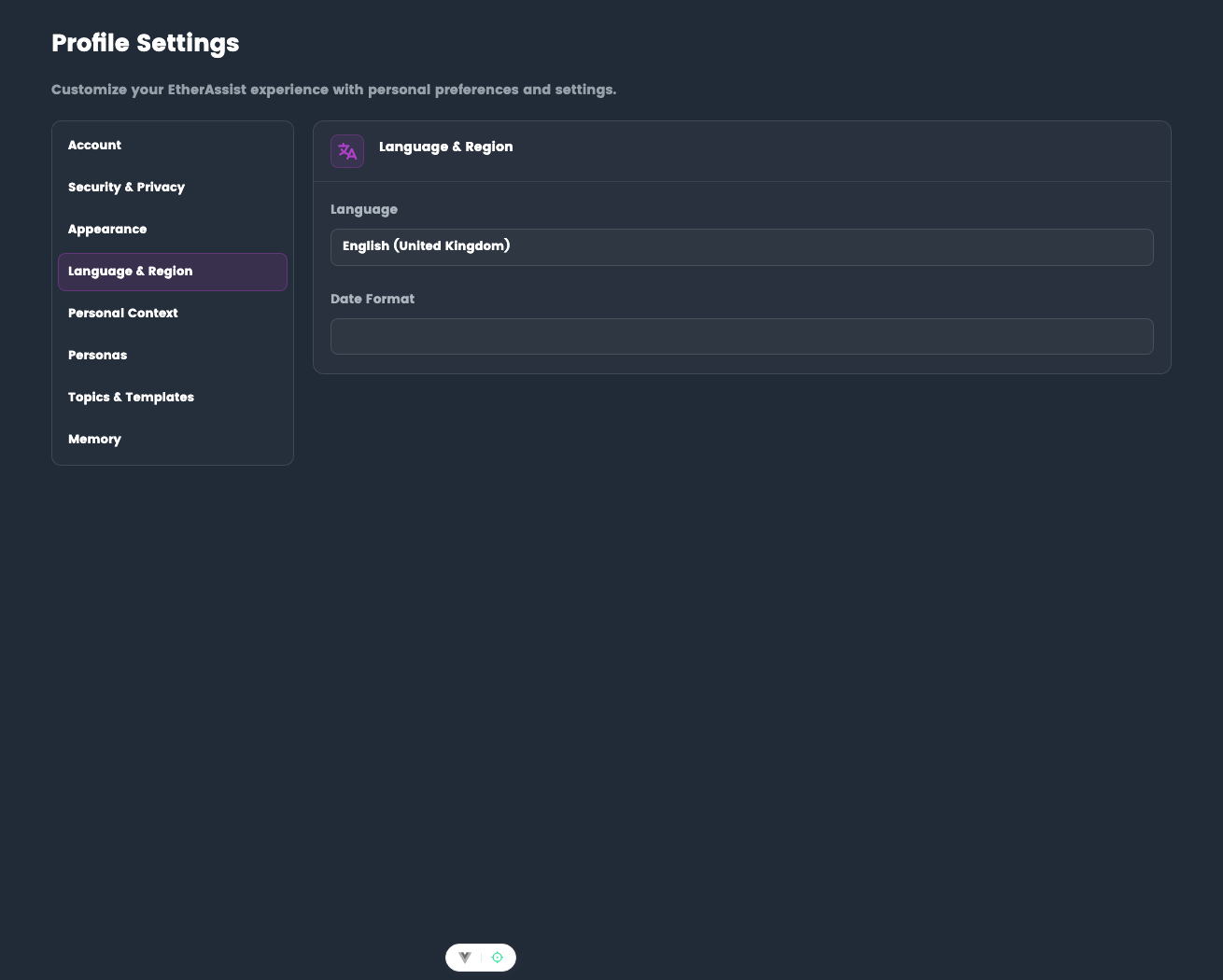
Language & Region
Configure language and date format preferences.
Location: Settings → Profile → Language & Region
Before you begin
- Sign in to EtherAssist.
- Open Settings from the sidebar.
- Decide which language and date format should be used for your work.
Language
Select your preferred language:
- English (United Kingdom) - UK spelling and conventions
- English (United States) - US spelling and conventions
Affects AI response language and UI text.
Date format
Choose how dates are displayed:
- DD/MM/YYYY - UK format (08/02/2026)
- MM/DD/YYYY - US format (02/08/2026)
Applies to conversation timestamps, reports, and exports.
Update language and date format
- Open Settings → Language & Region.
- Select the preferred language.
- Select the preferred date format.
- Save the settings if prompted.
- Start a new chat or refresh reports to confirm the format is applied.
Expected result: dates and language conventions match your selected preference.
Tips
- Use British English when producing UK customer or compliance documents.
- Use US date format only when the audience expects it.
- Mention a required language in the prompt when a single response needs a one-off style.
Troubleshooting
| Issue | What to check |
|---|---|
| Dates still use the old format | Refresh the page or start a new chat after saving. |
| One response uses the wrong language | Specify the required language in that prompt. |
| Setting is unavailable | Confirm your account has access to Settings. |