
Explore EtherAssist features
Use this page as a task map. It summarises the main EtherAssist capabilities and points you to the step-by-step article for each workflow.
Before you begin
- Confirm that your EtherAssist account has access to this feature area.
- Check that your role, subscription, and tenant policy allow the action described in this article.
- Gather any source files, tenant details, or configuration values needed for the task.
Step 1: Choose a starting point
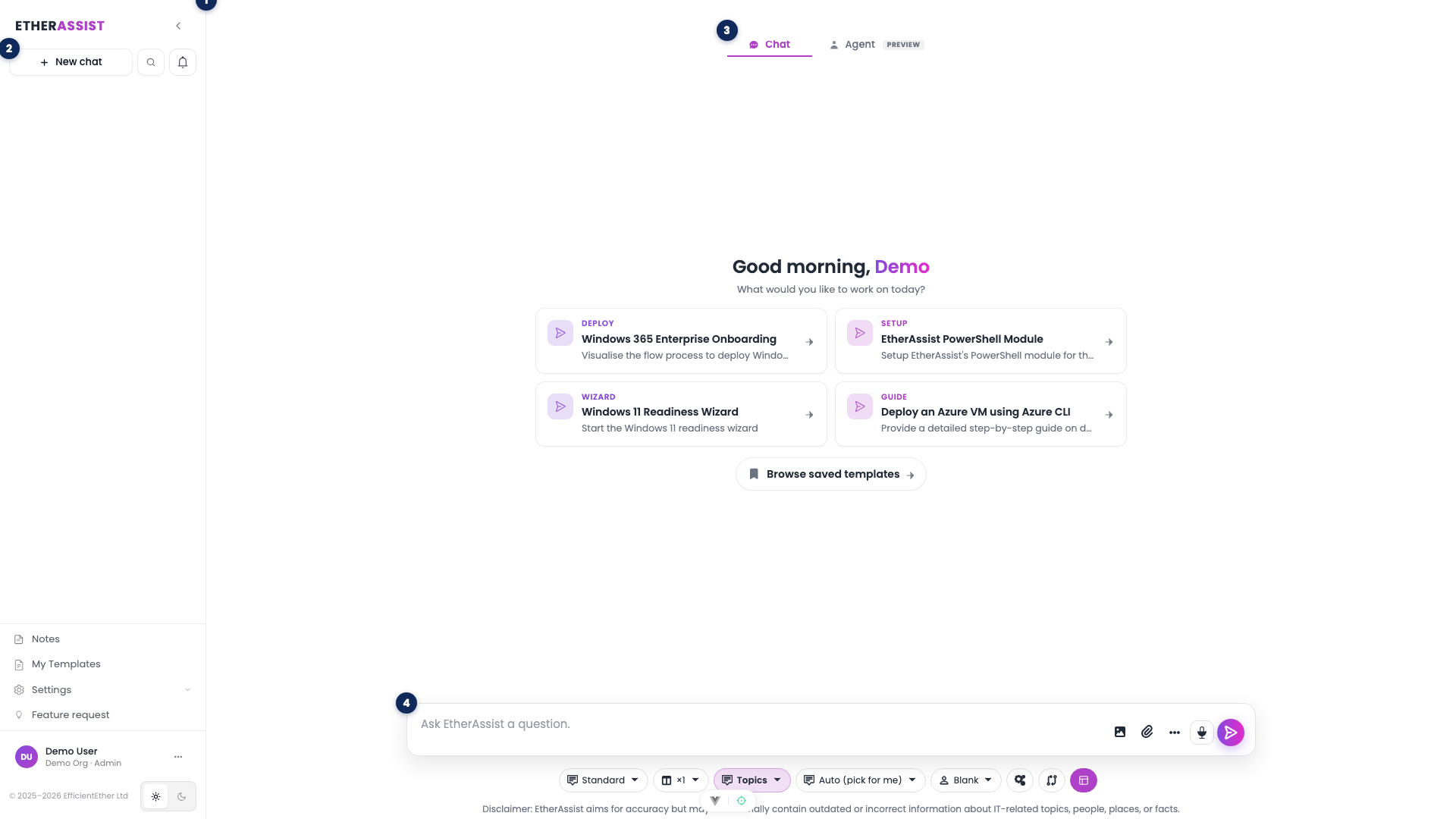
| If you need to... | Start with | Why |
|---|---|---|
| Ask a one-off technical question | Use EtherAssist | Chat is fastest for troubleshooting, drafting, and refinement. |
| Reuse company documents | Document Manager | Stored documents can be attached repeatedly. |
| Standardise repeated prompts | Templates | Templates keep common request patterns consistent. |
| Produce a visual flow | Create diagrams | Diagram prompts need clear systems, actors, and direction. |
| Compare two versions | Compare and revise content | Compare mode focuses on added, removed, and changed content. |
| Review token usage and limits | Usage reporting and User token quota | Usage reporting shows consumption; quotas control per-user limits where enabled. |
| Configure tenant-wide AI policy | Global settings | Tenant settings control redaction, caching, web search, voice input, and topic-source policy. |
| Configure personal topics and templates | Topics and templates | User settings control topic access, template defaults, and related preferences. |
| Manage users and access | Manage users | Admin pages control roles, status, and user-level settings. |
| Connect external tools | Integrations overview and API | Integration docs cover API keys, connected sources, and external actions. |
Core workflows
Ask a technical question
- Open chat.
- Choose the model that matches the depth needed.
- Select Topics when specialist grounding is useful.
- Attach only the files needed for the task.
- Ask for a specific output format.
- Review the answer before sharing or exporting.
Expected result: a focused answer with next steps that match the task and audience.
Create reusable work
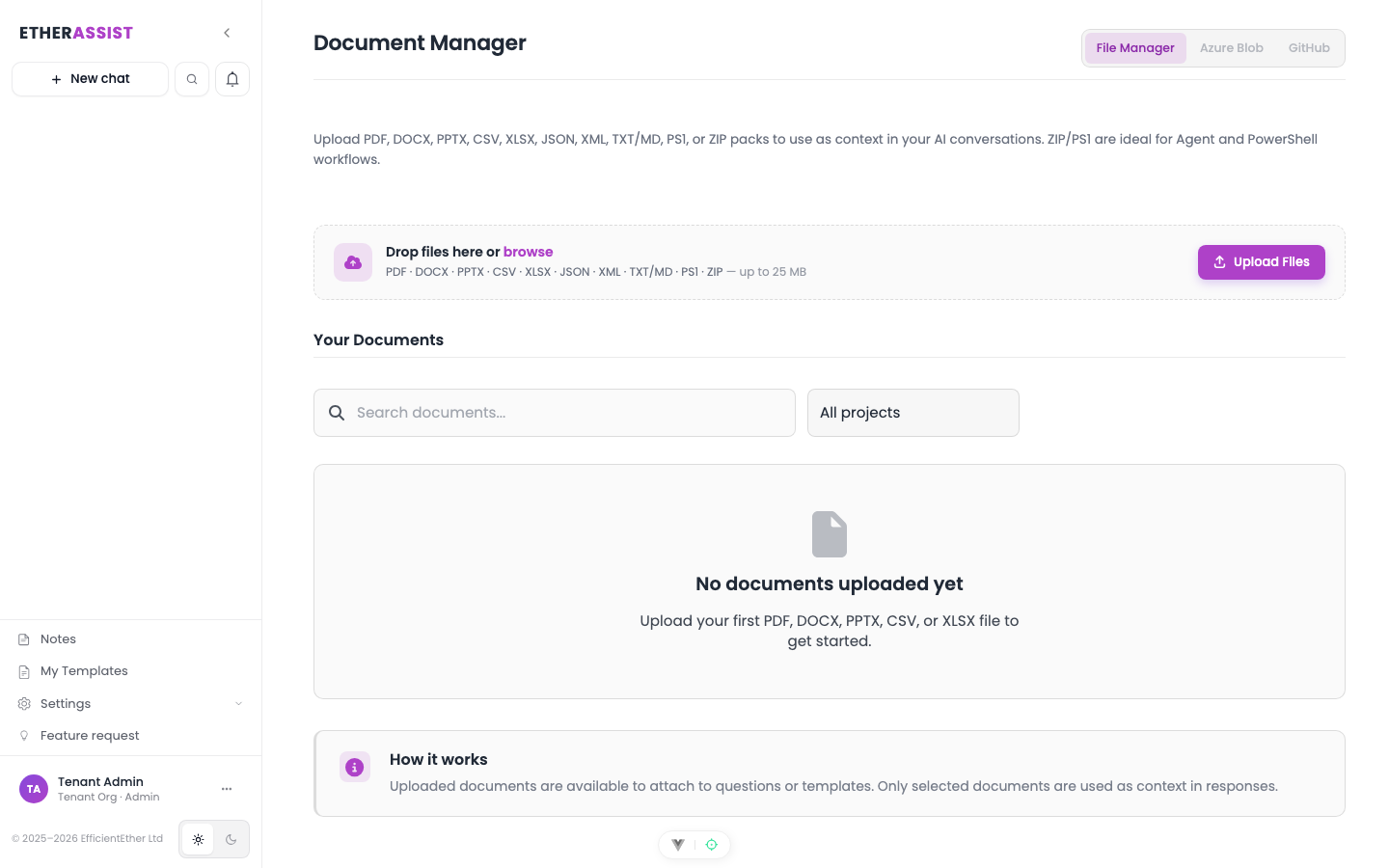
- Upload reference files to Document Manager.
- Create templates for repeated prompts.
- Use Agent tasks or workflows for longer repeatable work.
- Export final outputs in the format required by the review process.
Expected result: repeated work is easier to run and produces consistent outputs.
Administer the tenant
- Add users and confirm roles.
- Review usage and quotas.
- Configure token quota controls where the plan supports user-level limits.
- Configure settings that affect sharing, topics, data controls, web search, voice input, and subscriptions.
- Check service health if users report access or response issues.
Expected result: users have the right access and the organisation can monitor usage safely.
Token and configuration management
| Need | Go to |
|---|---|
| Review model and question usage | Usage reporting |
| Set or review user-level token limits | User token quota |
| Apply tenant-wide policy controls | Global settings |
| Configure user topic and template preferences | Topics and templates |
| Review billing and plan entitlements | Subscriptions |
Tips
- Start with chat for exploration, then move repeatable work into templates or workflows.
- Use Fast for simple questions and deeper models for compliance, risk, or long-form outputs.
- Keep customer data out of examples unless it is required and approved.
- When a screenshot is missing or stale, use the written procedure instead of adding a placeholder.
Troubleshooting
| Issue | What to try |
|---|---|
| The feature is not visible | Confirm your role, subscription, and organisation policy allow access. |
| A setting or action does not save | Refresh the page, sign out and back in, then retry the smallest change first. |
| The result differs from the screenshot | Check whether your tenant has a different role, region, policy, or subscription configuration. |